
Honda Fit: Change Lever Clearance Inspection (M/T)
-
Measure the clearance between the change lever (A) and the select lever (B) with a feeler gauge (C). If the clearance is more than the service limit, go to step 2.
Standard:
0.05пјЌ0.35 mm (0.002пјЌ0.013 in)
Service Limit:
0.55 mm (0.021 in)
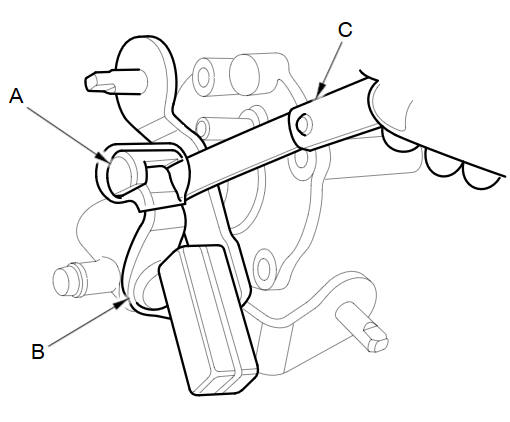
-
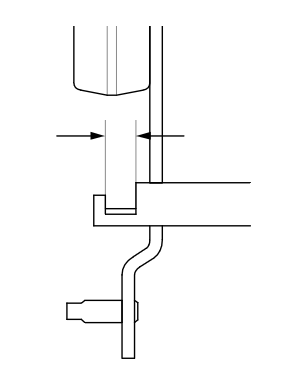
Measure the groove width of the change lever.
-
If the groove width is not within the standard, replace the change lever.
-
If the groove width is within the standard, replace the select lever.
Standard:
13.00пјЌ13.15 mm (0.5118пјЌ0.5177 in)
-
See also:
Voice Help
This navigation system comes with voice help information, which tells you how
to use the voice command functions.
Go to Voice Info for tips when using the voice command functions. ...
CMP Pulse Plate Removal and Installation
Removal
Remove the air cleaner.
Remove the intake manifold chamber.
Disconnect the following engine wire harness connectors, and remove the
wire harness clamps ...
Other Features
This section describes the useful functions incorporated into the
navigation system. ...
Categories
