
Honda Fit: CMP Pulse Plate Removal and Installation
Removal
-
Remove the air cleaner.
-
Remove the intake manifold chamber.
-
Disconnect the following engine wire harness connectors, and remove the wire harness clamps from the cylinder head:
-
Four injector connectors
-
ECT sensor 1 connector
-
CMP sensor connector
-
A/F sensor connector
-
Secondary HO2S connector
-
-
Remove the harness holder mounting bolt and the ground cable, then remove the harness holder from the bracket.
-
Remove the cylinder head cover.
-
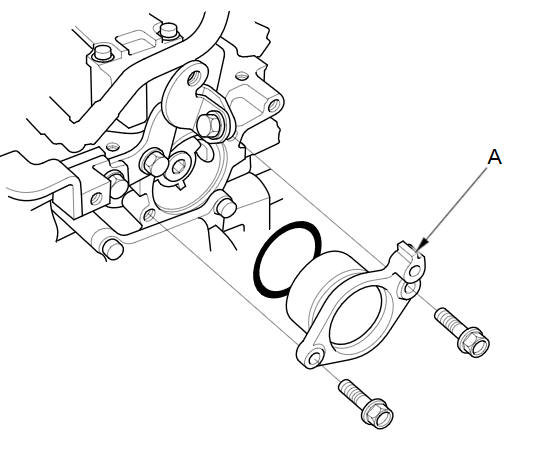
Remove the camshaft thrust cover (A).
-
Hold the camshaft with an open-end wrench, then loosen the bolt.
-
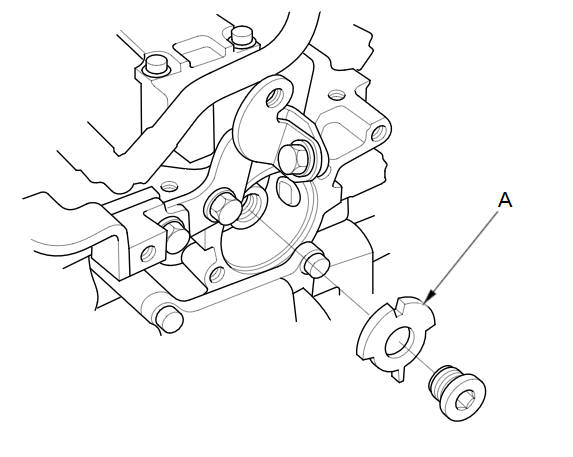
Remove the CMP pulse plate (A).
Installation
-
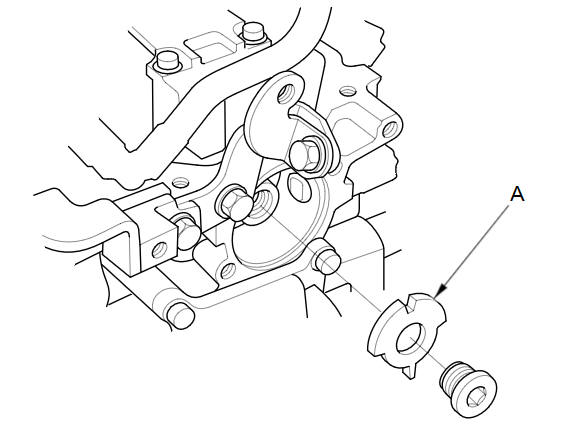
Install the CMP pulse plate (A).
-
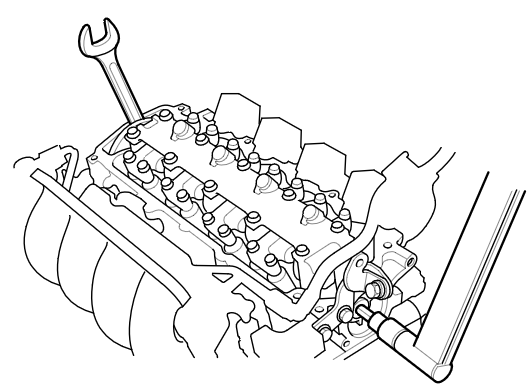
Hold the camshaft with an open-end wrench, then tighten the bolt.
Specified Torque
14 x 1.5 mm
34 NВ·m (3.5 kgfВ·m, 25 lbfВ·ft)
-
Install the camshaft thrust cover (A) with a new O-ring (B).
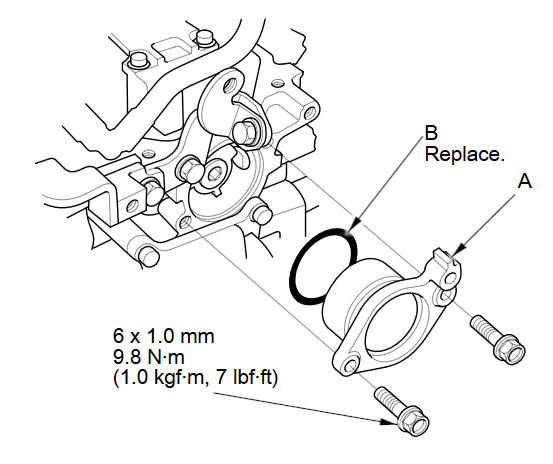
-
Install the cylinder head cover.
-
Install the harness holder, then install the ground cable.
-
Connect the following engine wire harness connectors, and install the wire harness clamps from the cylinder head:
-
Four injector connectors
-
ECT sensor 1 connector
-
CMP sensor connector
-
A/F sensor connector
-
Secondary HO2S connector
-
-
Install the intake manifold chamber.
-
Install the air cleaner.
See also:
Main Valve Body Disassembly, Inspection, and Reassembly (A/T)
Clean all parts thoroughly in solvent, and dry them with compressed air.
Blow out all passages.
Do not use a magnet to remove the check balls, it may magnetize the check
balls. ...
System Initialization
The navigation system must be initialized if
power to the navigation system is
interrupted for any reason (e.g., the
battery was disconnected). ...
Transmission End Crankshaft Oil Seal Installation - In Car
Special Tools Required
Driver Handle, 15 x 135L 07749-0010000
Oil Seal Driver Attachment, 96 mm 07ZAD-PNAA100
Remove the transmission.
M/T model
A/T model ...
Categories
