
Honda Fit: Cam Chain Removal
NOTE: Keep the cam chain away from magnetic fields.
-
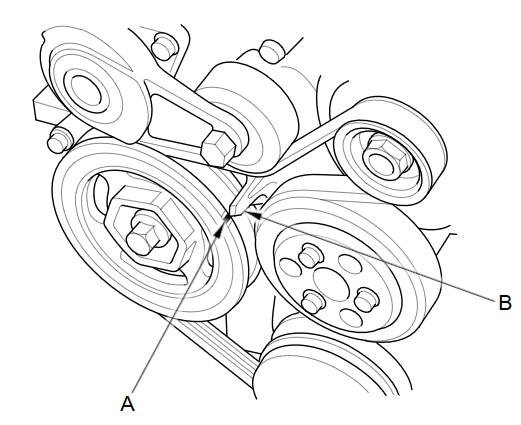
Turn the crankshaft pulley so its top dead center (TDC) mark (A) lines up with the pointer (B).
-
Remove the cylinder head cover.
-
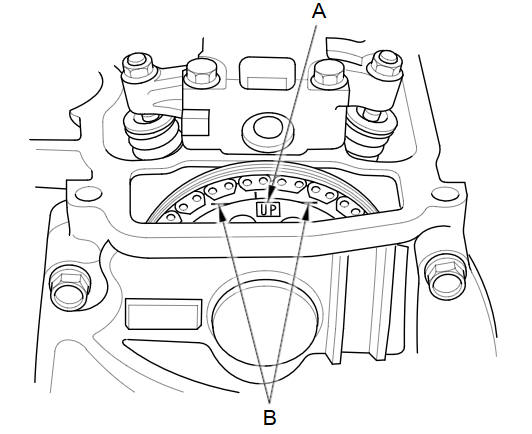
Check the No. 1 piston at TDC. The UP'' mark (A) on the camshaft sprocket should be at the top, and the TDC grooves (B) on the camshaft sprocket should line up with the top edge of the head.
-
Remove the right front wheel.
-
Remove the splash shield.
-
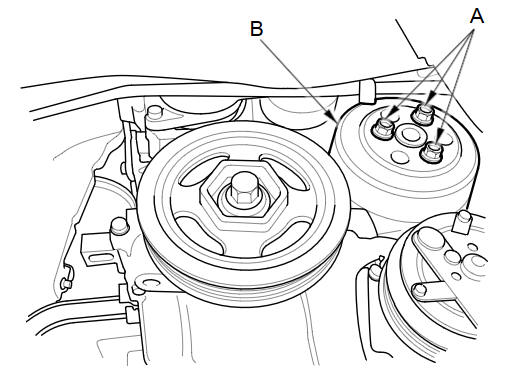
Loosen the water pump pulley mounting bolts (A).
-
Remove the drive belt.
-
Remove the water pump pulley (B).
-
Remove the crankshaft pulley.
-
Remove the drive belt auto-tensioner.
-
Support the engine with a jack and a wood block under the oil pan.
-
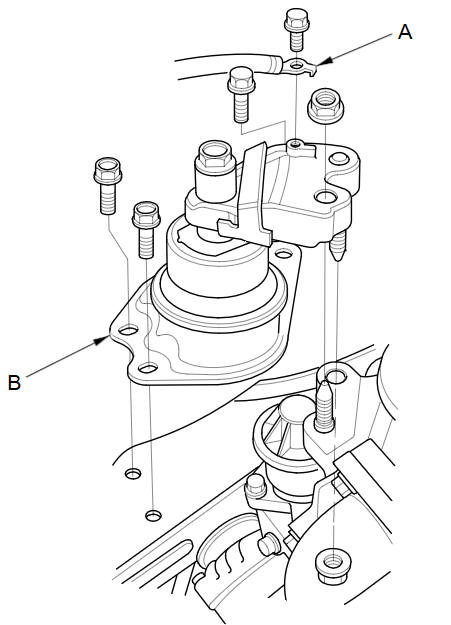
Remove the ground cable (A), then remove the side engine mount/bracket assembly (B).
-
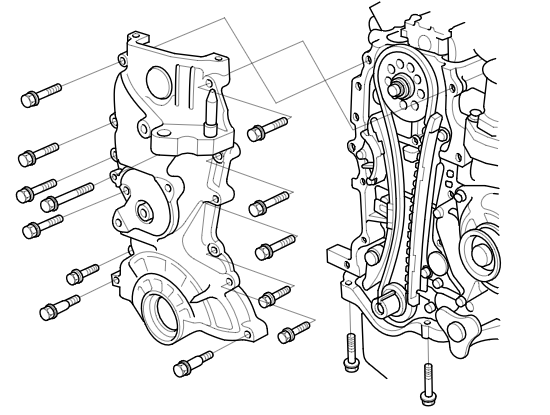
Remove the cam chain case.
-
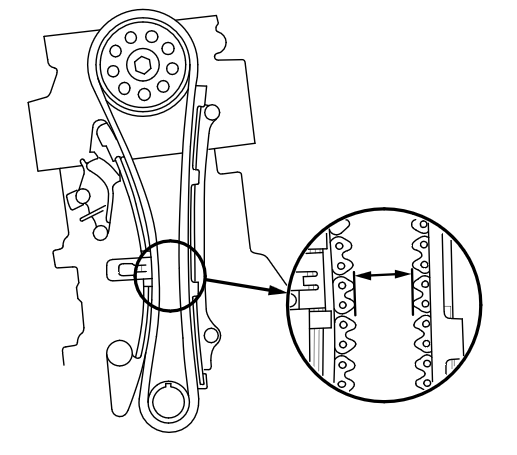
Measure the cam chain separation. If the distance is less than the service limit, replace the cam chain and cam chain tensioner.
Standard Distance: 19 mm (0.75 in)
Service Limit: 15 mm (0.59 in)
-
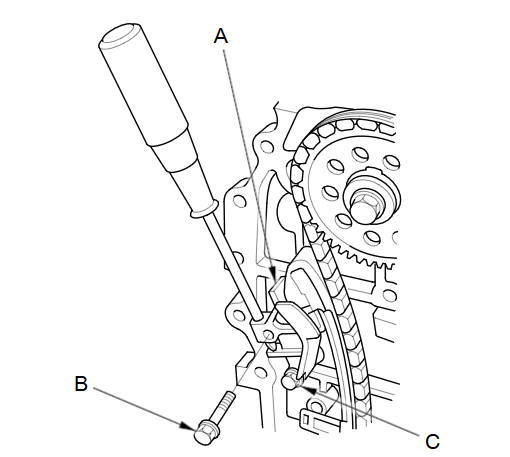
Apply new engine oil to the sliding surface of the cam chain tensioner slider (A).
-
Hold the cam chain tensioner slider with a screwdriver, then remove the upper bolt (B), and loosen the lower bolt (C).
-
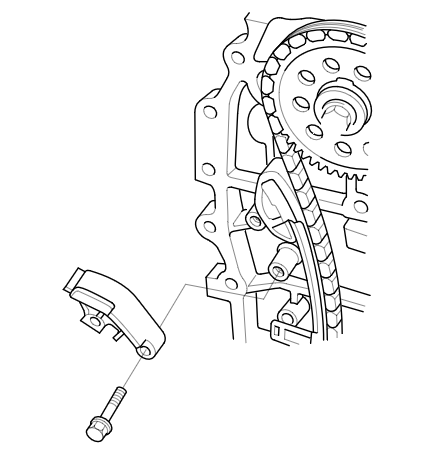
Remove the cam chain tensioner slider.
-
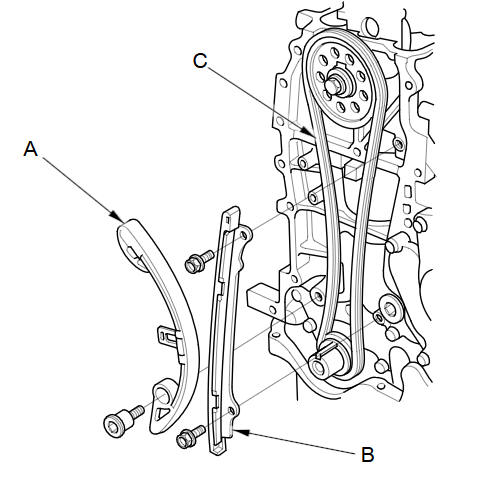
Remove the cam chain tensioner (A) and the cam chain guide (B).
-
Remove the cam chain (C).
See also:
Automatic Transmission
Shift Lever Position Indicators
These indicators on the instrument panel show which position the shift lever
is in.
The ‘‘D’’ indicator comes on for a few seconds when you turn the ignit ...
VIN, Engine, (Motor), Transmission Numbers, and Paint Codes
Vehicle Identification Number
a.
Manufacturer, Make, and Type of Vehicle
JHM:
Honda Motor Co., Ltd.
Honda passe ...
Automatic Transmission
■Creeping
The engine may run at a higher idle speed and creeping increases:
• Immediately after the engine starts.
• When the heating and cooling system is in use.
Keep the brake pedal f ...
Categories
