
Honda Fit: M/T Differential Thrust Clearance Adjustment (M/T)
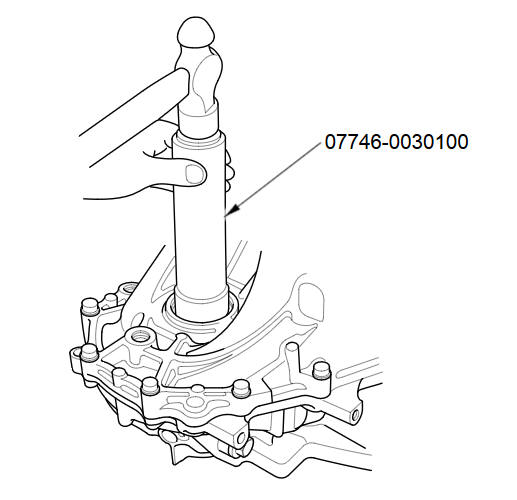
- Driver Handle, 40 mm I.D. 07746-0030100
-
Remove the left driveshaft side oil seal from the transmission housing.
-
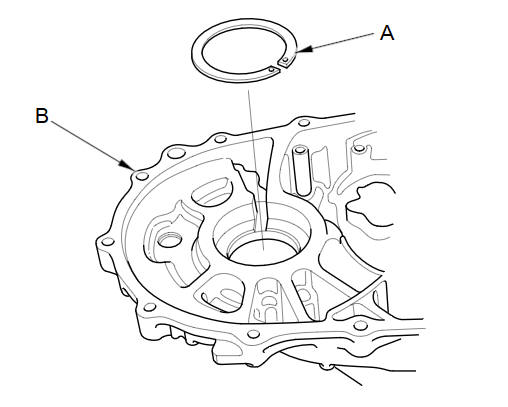
If you remove the 80 mm shim (A) from the transmission housing (B), reinstall the same sized shim. That's the same size as the one you removed.
-
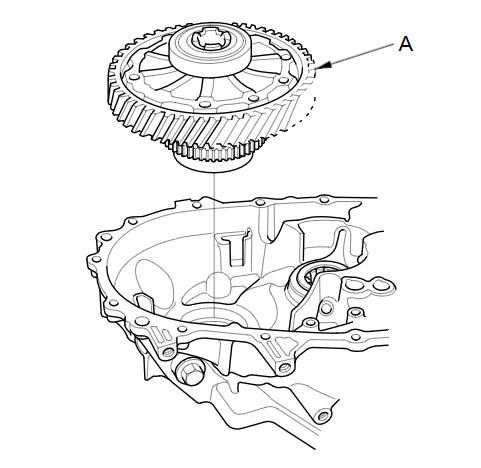
Install the differential assembly (A) into the clutch housing.
-
Install the transmission housing onto the clutch housing, then tighten the 8 mm flange bolts in a crisscross pattern in several steps.
Specified Torque:
8 x 1.25 mm
27 N·m (2.8 kgf·m, 20 lbf·ft)
-
Use the 40 mm driver handle to bottom the differential assembly in the clutch housing.
-
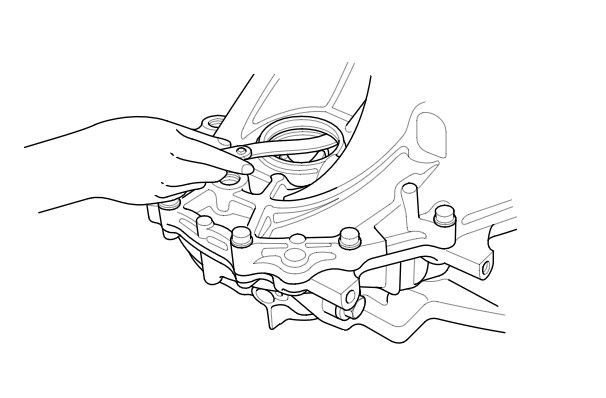
Measure the clearance between the 80 mm shim and the bearing outer race in transmission housing.
Standard:
0.01-0.1 mm (0.0004-0.004 in)
-
If the clearance exceeds the standard, select a new 80 mm shim from the following table. If the clearance measured in step 6 is within the standard, go to step 10.
80 mm Shim:
Type
Thickness
A
1.00 mm (0.0394 in)
B
1.10 mm (0.0433 in)
C
1.20 mm (0.0472 in)
D
1.30 mm (0.0512 in)
E
1.40 mm (0.0551 in)
F
1.50 mm (0.0591 in)
G
1.60 mm (0.0630 in)
H
1.70 mm (0.0669 in)
J
1.80 mm (0.0709 in)
K
1.05 mm (0.0413 in)
L
1.15 mm (0.0453 in)
M
1.25 mm (0.0492 in)
N
1.35 mm (0.0531 in)
P
1.45 mm (0.0571 in)
Q
1.55 mm (0.0610 in)
R
1.65 mm (0.0650 in)
S
1.75 mm (0.0689 in)
-
Remove the bolts and the transmission housing.
-
Replace the thrust shim selected in step 7, then recheck the clearance.
-
Install a new left driveshaft side oil seal.
-
Reinstall the transmission housing.
See also:
Hood Latch Replacement
NOTE:
Put on gloves to protect your hands.
Take care not to scratch the body or related parts.
Remove the front grille cover.
Remove the clips, and release th ...
PCV Valve Replacement
Remove the harness holder (A).
Disconnect the hose (A).
Remove the PCV valve (B).
Install the parts in the reverse order of removal with a new 14 mm washe ...
Protecting Adults and Teens
Introduction
The following pages provide instructions on how to properly protect the driver,
adult passengers, and teenage children who are large enough and mature enough to
drive or ride in the ...
Categories
