
Honda Fit: MAP Sensor Replacement
-
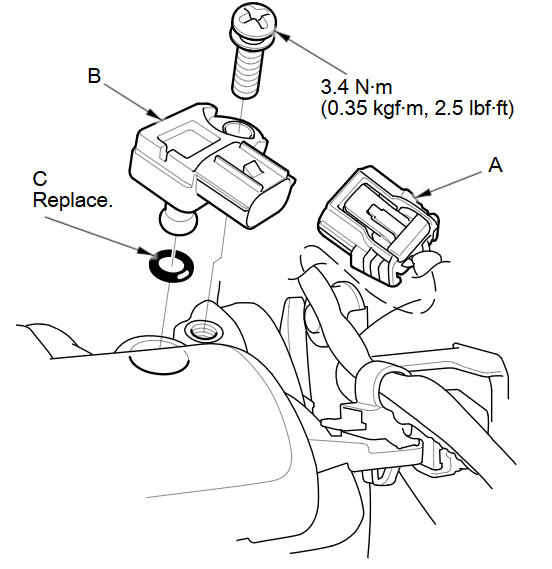
Disconnect the MAP sensor connector (A).
-
Remove the MAP sensor (B).
-
Install the parts in the reverse order of removal with a new O-ring (C).
See also:
Vehicle Identification Number (VIN)
Your vehicle has a 17-digit vehicle identification number (VIN) used to
register your
vehicle for warranty purposes, and for licensing and insuring your vehicle. See
the
image below for the VIN ...
Getting Started Tutorial
1 Press the INFO button.
2 Select Voice Info.
3 Select Getting started.
You can also view the available
command list for each system. See
Command Help on this page.
4 Select Using the talk b ...
Tire Pressure Monitoring System (TPMS)
U.S. models only
Your vehicle is equipped with a tire pressure monitoring system (TPMS) that
turns on every time you start the engine and monitors the pressure in your tires
while driving.
Each ...
Categories
