
Honda Fit: Vehicle
 INFO button
► Setup ►Other
►Vehicle
Set the off-road tracking feature and correct the vehicle position displayed on the map.
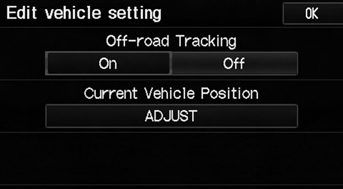
Select an item.
The following items are available:
• Off-road Tracking: Set whether to display the tracking dots on the map.
• Current Vehicle Position: Adjust the position of the vehicle on the map.
See also:
How to Refuel
1. Stop your vehicle with the service station
pump on the left side of the vehicle in the
rear.
2. Turn off the engine.
3. Press the area indicated by the arrow to
release the fuel fill door. Y ...
Seat Belt Inspection
Regularly check the condition of your seat belts as follows:
• Pull each belt out fully, and look for frays, cuts, burns, and wear.
• Check that the latches work smoothly and the belts retract e ...
Categories
