
Honda Fit: Gearshift Mechanism Replacement (M/T)
NOTE: Make sure not to get any silicone grease on the terminal part of the connectors and switches, especially if you have silicone grease on your hands or gloves.
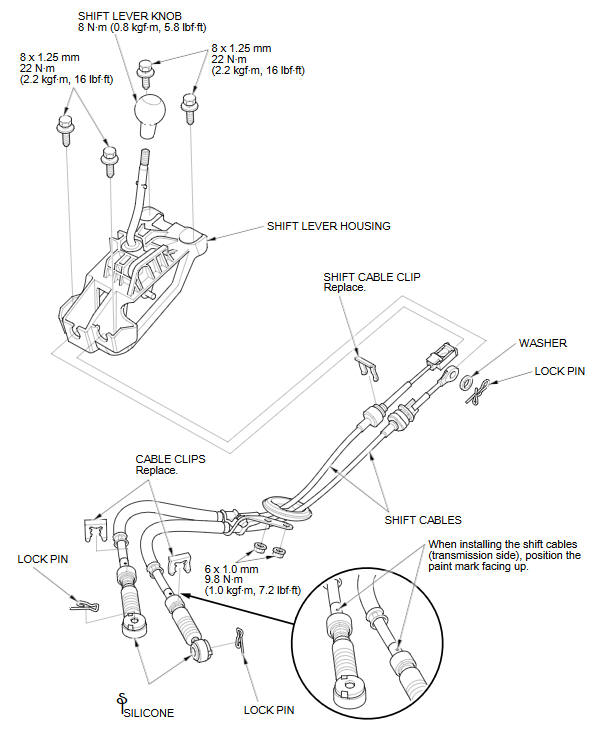
See also:
Clutch Hose Replacement (M/T)
NOTE:
Replace the clutch hose if it is twisted or cracked, or if it leaks.
Use fender covers to avoid damaging painted surfaces.
Do not spill brake fluid on the vehicle; it may ...
AM/FM Radio Reception
Radio Frequencies
The radio can receive the complete AM and FM bands.
Those bands cover these frequencies:
AM band: 530 to 1,710 kHz
FM band: 87.7 to 107.9 MHz
Radio stations on the AM band are a ...
Maintenance MinderTM
If the engine oil life is less than 15%, you will see the Maintenance Minder
messages
appear on the information display every time you turn the ignition switch to ON
.
The messages notify you w ...
Categories
