
Honda Fit: EVAP Canister Replacement
-
Raise the vehicle on a lift.
-
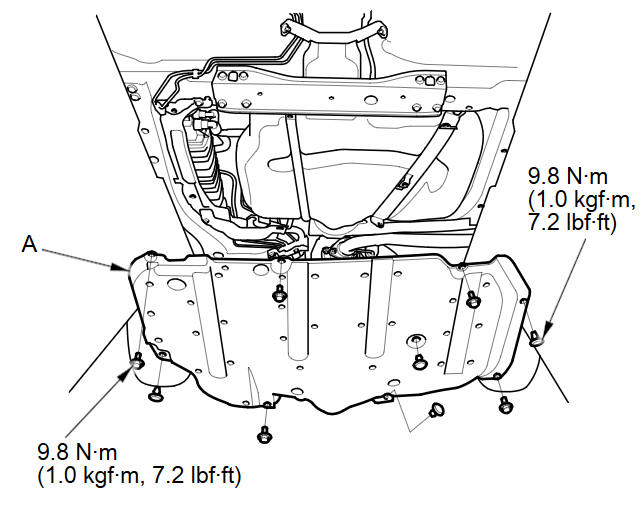
Except LX (A/T model): Remove the fuel tank cover (A)
-
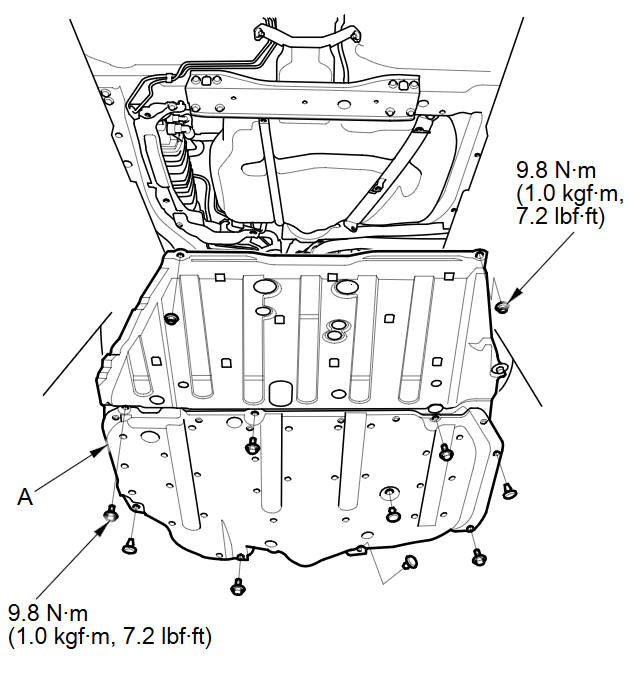
LX (A/T model): Remove the floor under cover assembly (A).
-
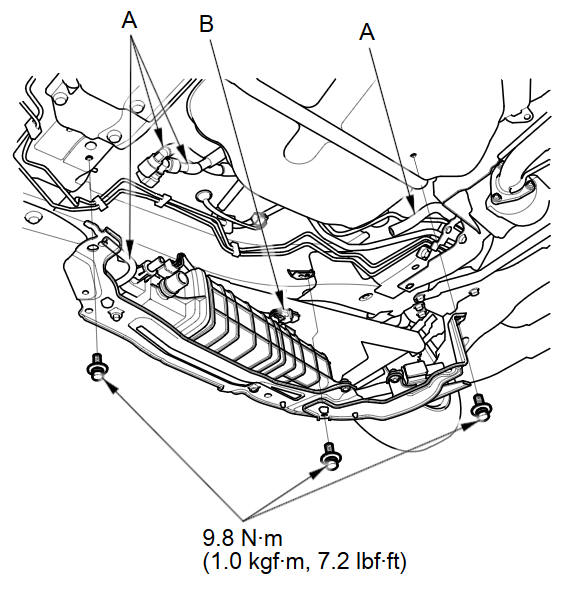
Remove the hoses (A), and disconnect the fuel subharness 6P connector (B).
-
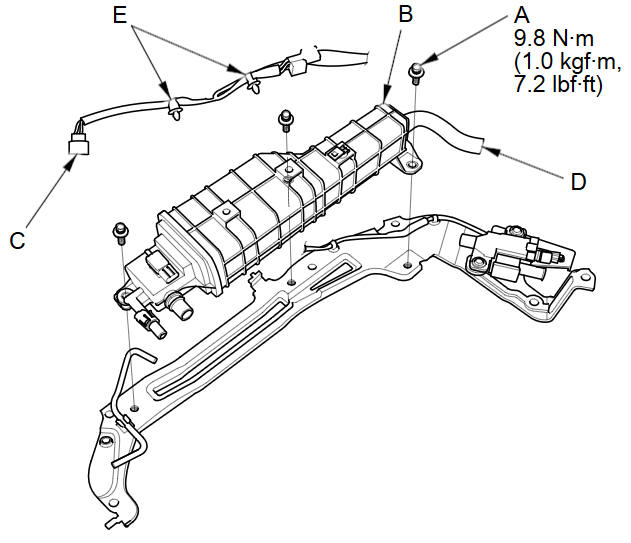
Remove the bolts (A).
-
Remove the EVAP canister assembly (B).
-
Disconnect the FTP sensor connector (C), the hose (D), and the clips (E).
-
Disconnect the hose (A), remove the retainer (B) and remove the FTP sensor (C).
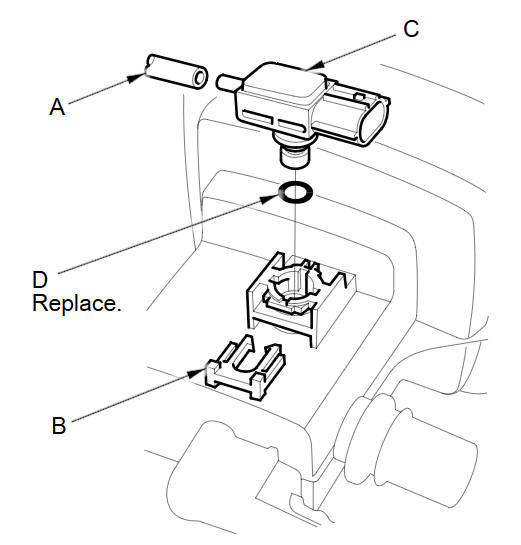
NOTE: When installing the FTP sensor, use a new O-ring (D).
-
Install the parts in the reverse order of removal.
See also:
Fuel and Emissions System Description - Electronic Throttle Control System
Electronic Throttle Control System
The throttle is electronically controlled by the electronic throttle
control system (ETCS). Refer to the system diagram to see a functional
layout of the ...
Find Place Commands
Find nearest (specify place):
Auto service center
ACURA dealers
HONDA dealers
Gas station
Hydrogen station
Auto parts & electronics shop
Auto repair & maintenance shop
Car wash & d ...
Accented Letters
...
Categories
