
Seat Arona: Assistance systems and vehicle settings. Vehicle information
Assistance systems and vehicle settings
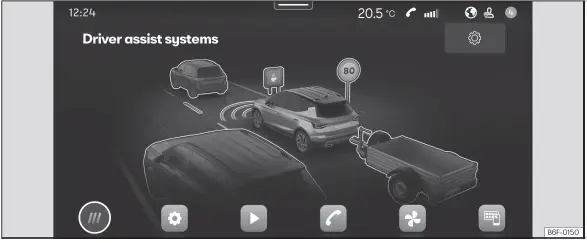
Fig. 13 Schematic representation: Assistance
systems and vehicle settings
Selecting  Driver assistance from the main menu opens the
dedicated menu for your Seat Arona's driver-assistance features and related vehicle settings.
The exact list of available assistance systems and configuration options varies depending on the Seat Arona trim version, factory options, and regional regulations in the country where the vehicle is registered or driven.
- Park assist
- Activate/deactivate ESC, stabilisation systems and brake assist
- Activate / deactivate the Start-Stop system
- Adaptive cruise control (ACC)
- Lane Assist (lane departure warning system)
- Emergency brake assistance system (Front Assist)
- Fatigue detection
- Speed warning system
- Side assist
- Lights
Vehicle information
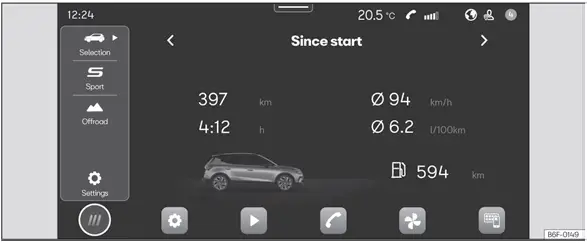
Fig. 14 Schematic representation: Vehicle
information and status
Selecting  Vehicle > Selection in the main menu opens the
vehicle information area with the following submenus:
- Digital Cockpit: Displays the available layout and readout choices for how data is presented inside the Digital Cockpit display.
- Driving data: Shows average fuel consumption, average speed, distance covered, trip duration, and estimated
remaining range across three memory counters: "Since start", "Long-term", and "Since refuelling".
You can clear the "From departure" and "Total calculation" counters directly from the infotainment system by navigating to
 Vehicle > Settings > Instrument
cluster > Reset data.
- Vehicle status: Presents alerts for faults or system incidents, tyre pressure storage status, and reminders or details regarding the next scheduled inspection service.
See also:
Tyre l
Fig. 188 Location of the tyre pressure sticker.
Keeping proper inflation pressures and pairing them with measured driving habits extends tyre service life on
your Seat Arona.
Check tyre pr ...
Map Update
INFO button
►Map Update
Update the map database.
When you order a map update, it is mailed to
you on a USB flash drive. ...
EVAP Canister Replacement
Raise the vehicle on a lift.
Except LX (A/T model): Remove the fuel tank cover (A)
LX (A/T model): Remove the floor under cover assembly (A).
Remo ...
Categories
