
Honda Fit: Visual Index
Second generation (2007-2026) / Honda Fit 2007-2026 Owners Manual / Quick Reference Guide / Visual Index
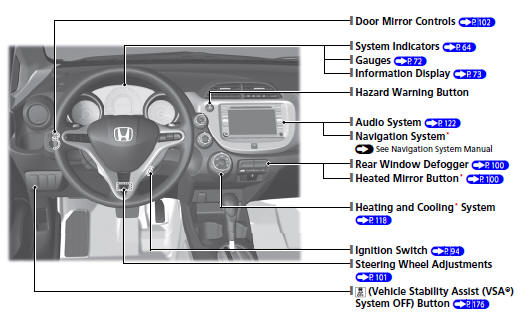
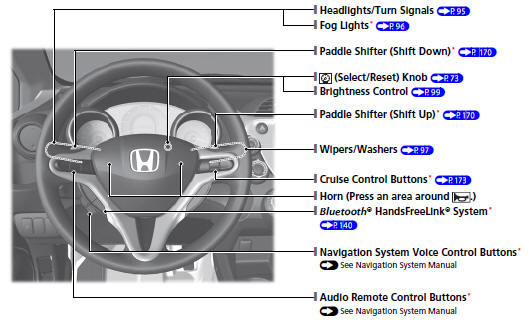
See also:
Getting Started Tutorial
1 Press the INFO button.
2 Select Voice Info.
3 Select Getting started.
You can also view the available
command list for each system. See
Command Help on this page.
4 Select Using the talk b ...
Editing a Voice Tag
PHONE button
► Speed Dial 1 or Speed Dial 2
1. Select a speed dial entry.
2. Select Edit Speed Dial.
3. Select Voice Tag.
4. Select an item.
The following items are available:
• Pl ...
Emblem/Sticker Replacement
NOTE: When removing the emblems/stickers, take care not to scratch the body.
To remove the front ёH'' emblem,
remove the front grille.
To remove the rear ёH'' em ...
Categories

© 2026 Copyright www.hfitinfo.com