
Honda Fit: List of Categories
Second generation (2007-2026) / Honda Fit 2007-2026 Navigation Online Reference Manual / Voice Commands / List of Categories
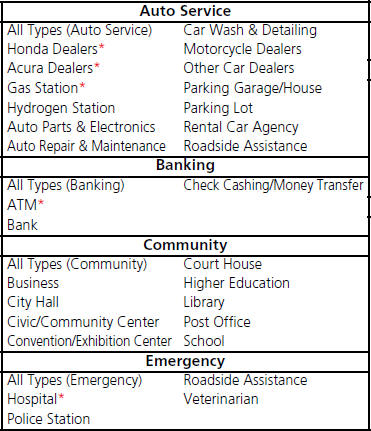
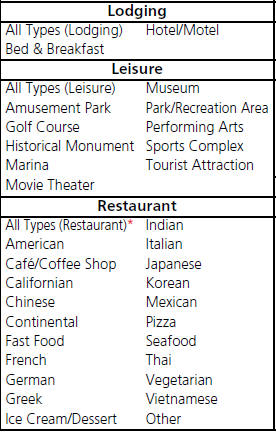
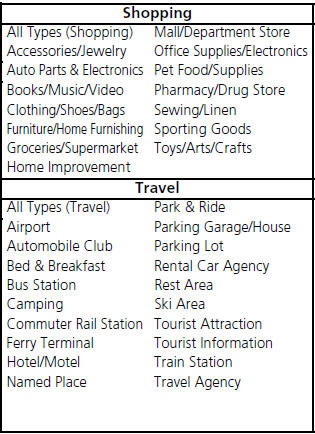
* Stored in “Fav. Subcategory” by factory default.
See also:
Letters
...
Door Locks
Each door has a lock tab on the top of the door. Push in the tab to lock the
door, and pull it out to unlock.
On Canadian DX model
To lock the passenger’s door when getting out of the vehicle, ...
Headliner Removal/Installation (General information)
Special Tools Required
KTC Trim Tool Set SOJATP2014
*Available through the Honda Tool and Equipment Program; call 888-424-6857
SRS components are located in this area. Review the SRS ...
Categories

© 2026 Copyright www.hfitinfo.com