
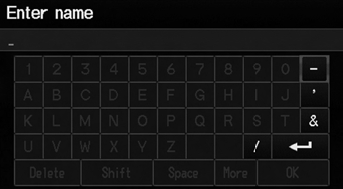
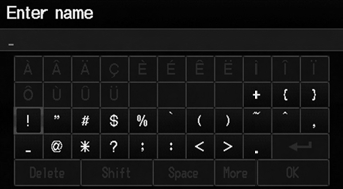
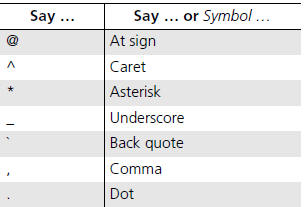
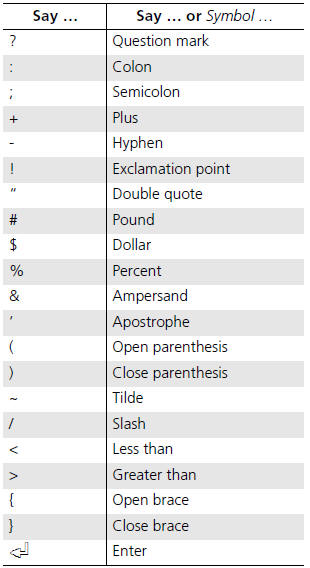
Honda Fit: Symbols
See also:
Parking Brake
To apply the parking brake, pull the lever up fully. To release it, pull up slightly,
push the button, and lower the lever. The parking brake indicator on the instrument
panel should go out when ...
Tire Pressure Monitoring System (TPMS)
U.S. models only
Your vehicle is equipped with a tire pressure monitoring system (TPMS) that
turns on every time you start the engine and monitors the pressure in your tires
while driving.
Each ...
Interior Trim Removal/Installation - Cargo Area
Special Tools Required
KTC Trim Tool Set SOJATP2014
*Available through the Honda Tool and Equipment Program; call 888-424-6857
NOTE:
Put on gloves to protect your hands.
Tak ...
Categories

© 2026 Copyright www.hfitinfo.com