
Honda Fit: Acquiring GPS Information
Depending on the length of time the power was interrupted, your system may require GPS initialization.
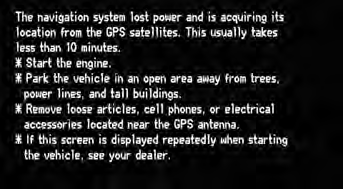
If initialization is not necessary, the system proceeds directly to the Startup Confirmation screen.
If the system fails to locate a sufficient number of satellites to locate your position within 10 minutes, the following screen is displayed.
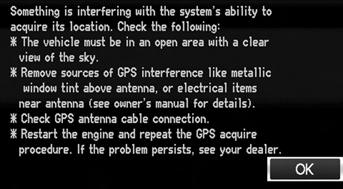
If you are experiencing GPS reception problems:
See also:
Route Commands
The system accepts these commands
when a route is set.
How long to the destination?
How far to the destination?
Display destination map
Display entire route ...
Installation (Part -1)
Before installing the steering gearbox, make sure that no grease is on
the mating surface of the steering gearbox and the front subframe. To
prevent the gearbox mounting bolts from looseni ...
Charging the Battery
Disconnect both battery cables to prevent damaging your vehicle’s electrical
system.
Always disconnect the negative (–) cable first, and reconnect it last. ...
Categories
