
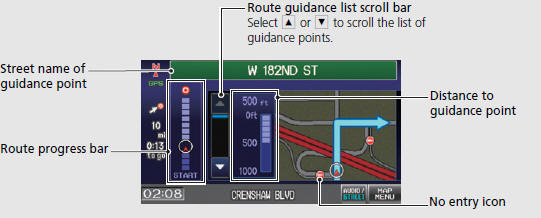
Honda Fit: Guidance Screen
See also:
Disassembly
Compress the damper spring, then remove the nut (A) while holding the
damper shaft with a hex wrench (B). Do not compress the damper spring more
than necessary to remove the nut.
...
Obtaining Navigation Update Data
Honda is continually expanding the scope
of the navigation system. Navigation
system software upgrades may be made
available periodically, usually in the fall of
each year.
To purchase an updat ...
Receiving a Call
1. Press the (Pick-Up) button
to
answer a call and display the
Calling screen.
2. Press the (Hang-Up) button
to
terminate the call.
The following options are available during a call:
â ...
Categories

© 2026 Copyright www.hfitinfo.com