
Seat Arona: Introduction. System limits affecting the drowsiness monitor
Introduction
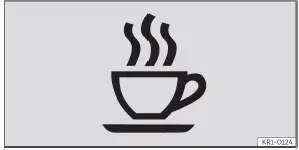
Fig. 7 On the instrument cluster display:
Drowsiness monitor symbol.
The drowsiness monitor lets the driver know when steering and driving habits point to tiredness.
By tracking how you steer and drive in your Seat Arona, the drowsiness monitor evaluates signs of fatigue over the course of a trip. Whenever the system picks up on tiredness, it alerts you on the instrument cluster screen with a control or warning lamp paired with a text prompt and an acoustic chime. The message stays on the instrument cluster display for roughly 4 to 6 seconds.
Operating conditions
Warnings from the drowsiness monitor appear only when road speed climbs above 70 km/h.
WARNING Relying on the drowsiness monitor instead of staying alert carries clear risks, since the system only operates within technical boundaries. It cannot spot fatigue in every driving situation and may trigger late, miss a warning, or alert unexpectedly, creating the risk of crashes and serious or fatal injuries.
- Stay attentive at all times rather than leaving fatigue detection to the system; fitness to drive rests with the driver.
- Keep the system's operating limits in mind behind the wheel.
- Do not drive when feeling tired or drowsy.
- Plan regular, meaningful rest stops on longer trips.
- Read the prompts on the instrument cluster screen and act on them promptly.
System limits affecting the drowsiness monitor
Real-world road and driving conditions place clear limits on how the drowsiness monitor works. Any of the following factors can restrict its accuracy or keep it from functioning:
- Driving below 60 km/h.
- Cruising above 130 km/h.
- Winding roads with frequent bends.
- Rough, uneven, or poorly surfaced roads.
- Bad weather such as heavy rain, snow, or poor visibility.
- Roadwork zones and lane shifts.
- Brisk or sporty cornering and acceleration.
- Pulling a heavy or particularly long trailer.
- Driver distraction inside the cabin.
Note
The system was designed for use on motorways and well-maintained main roads rather than tight or rough routes.
Restarting the drowsiness monitor
Monitoring resets and starts fresh in these cases:
- Switching off the ignition.
- Unfastening the driver's seat belt while opening the driver door.
- Keeping the Seat Arona stopped for more than 30 minutes.
Driving with the drowsiness monitor
Connection and disconnection
Depending on local market rules, the drowsiness monitor turns on automatically whenever the drive system of the Seat Arona is activated. When that happens, the infotainment display shows an overview of active systems and automatic settings in the input menu.
If you prefer to toggle it yourself, you can switch the drowsiness monitor off or on inside the infotainment system:
1. Open the Assistance systems menu.
2. Toggle the drowsiness monitor on or off inside its submenu.
Sensitivity adjustment
Adjusting the sensitivity setting lets you change how quickly the drowsiness monitor responds to shifts in your driving style on the Seat Arona.
Inside the infotainment system:
1. Open the Assistance systems menu.
2. Select Drowsiness Monitor.
3. Pick your preferred setting in the Sensitivity submenu.
Concealing messages via the multi-function steering wheel
1. Press the  button on the
multifunction
steering wheel to clear the prompt.
See also:
Side airbags
Fig. 29 Side airbag in driver's seat.
Fig. 30 Illustration of completely inflated side
airbag on the left side of the vehicle.
In the Seat Arona, the side airbags are built into the fro ...
Basic Settings
INFO button
► Setup ►Other
►Basic Settings
Set the map units to either miles or kilometers, and control the voice
feedback from
the navigation system.
Select an item.
The ...
Ignition lock
Fig. 80 Ignition lock
Key positions:
Ignition switched off. In this position, the key can be pulled out of the barrel.
Ignition switched on, powering the vehicle's electrical circuits and ...
Categories
