
Honda Fit: Flywheel Inspection
-
Remove the ring gear holder.
-
Inspect the ring gear teeth for wear and damage.
-
Inspect the clutch disc mating surface on the flywheel for wear, cracks, and burning.
-
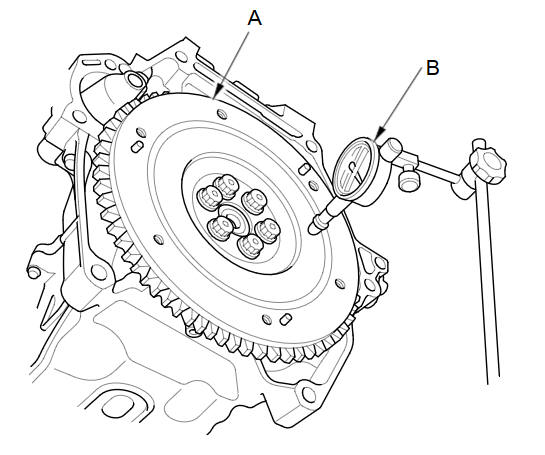
Measure the flywheel (A) runout using a dial indicator (B). Through at least two full turns with pushing against the flywheel each time you turn it to take up the crankshaft thrust washer clearance. If the measurement is more than the service limit, replace the flywheel, and recheck the runout. Go to step 16.
Standard (New):
0.05 mm (0.0020 in) max.
Service Limit:
0.15 mm (0.0059 in)
See also:
Removal
Do the battery terminal disconnection procedure.
Remove the drive belt.
Remove the intake manifold.
Disconnect the alternator connector (A) and the p ...
Side Impact Sensor (Second) Replacement
Removal
Do the battery terminal disconnection procedure,
then wait at least 3 minutes before starting work.
Remove the cargo area side trim.
Disconnect the side ...
Turn Signals
The turn signals can be used when the ignition
switch is in ON .
...
Categories
