
Honda Fit: Engine Assembly Torque Rod Bracket Replacement
-
Raise the vehicle on the lift.
-
A/T model: Remove the shift cable cover.
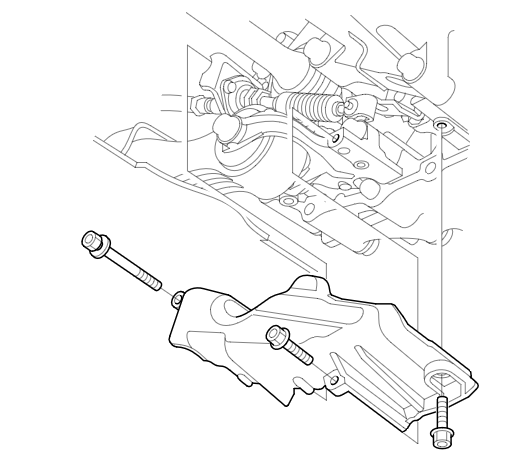
-
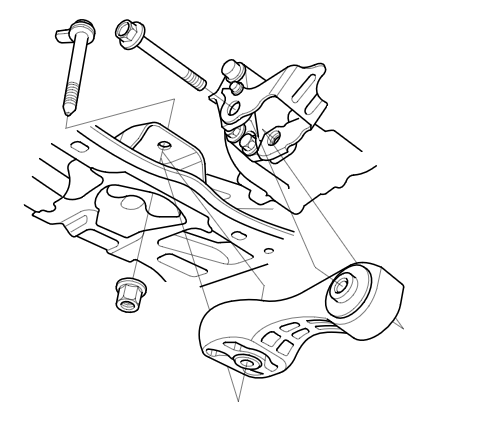
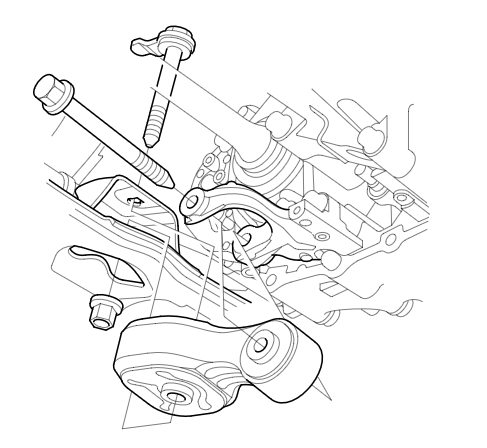
Support the transmission with a transmission jack and a wood block under the transmission and raise it just enough to free the torque rod, then remove the torque rod.
M/T model
A/T model
-
Remove the torque rod bracket.
-
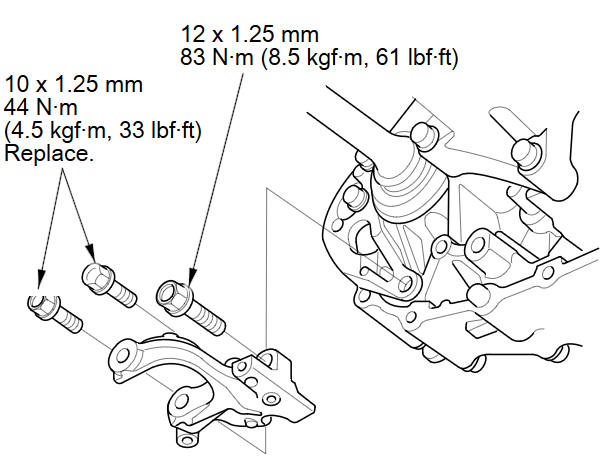
Install the torque rod bracket.
M/T model
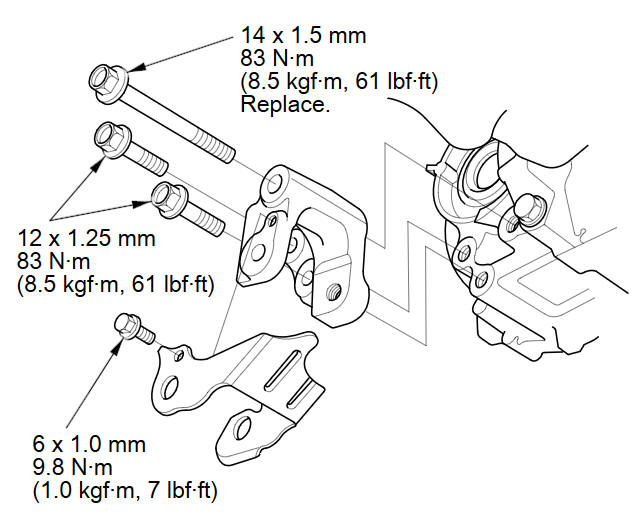
A/T model
-
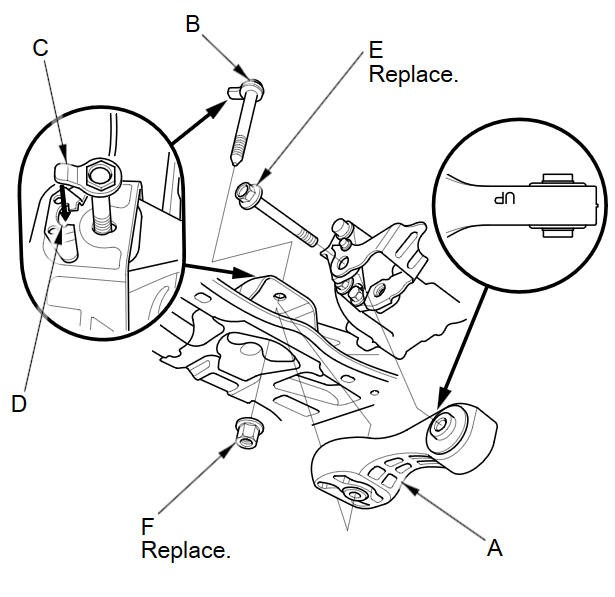
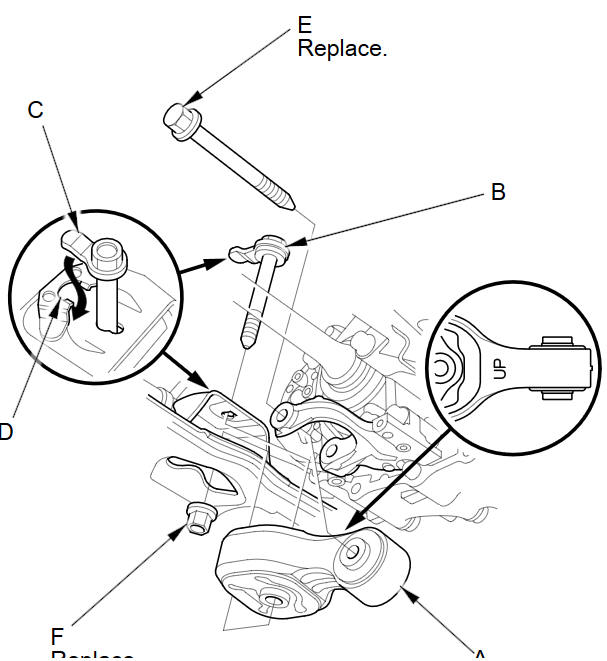
Install the torque rod (A).
NOTE: Be sure to install the torque rod with the UP'' mark facing up.
-
Install the bolt (B) with the tab (C) on the bolt head aligned with the guide (D) on the front subframe, then loosely install a new torque rod mounting bolt (E) and nut (F).
M/T model
A/T model
-
Remove the transmission jack and the wood block from under the transmission.
-
Tighten the torque rod mounting bolt and nut in the numbered sequence shown.
M/T model
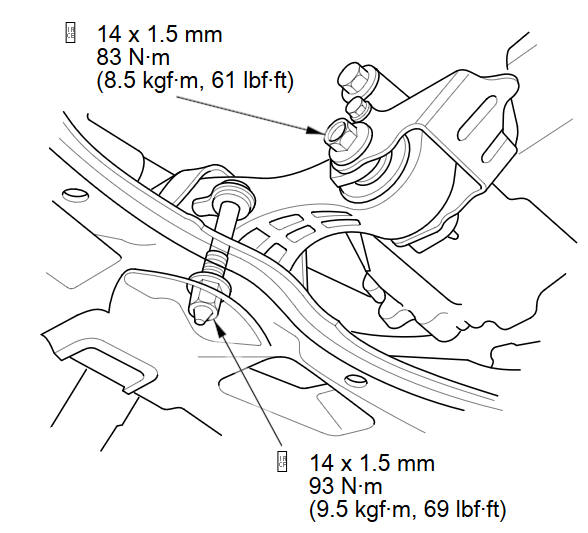
A/T model
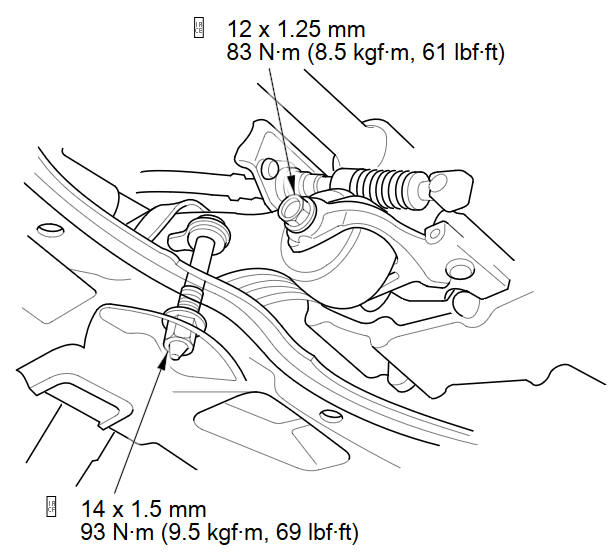
-
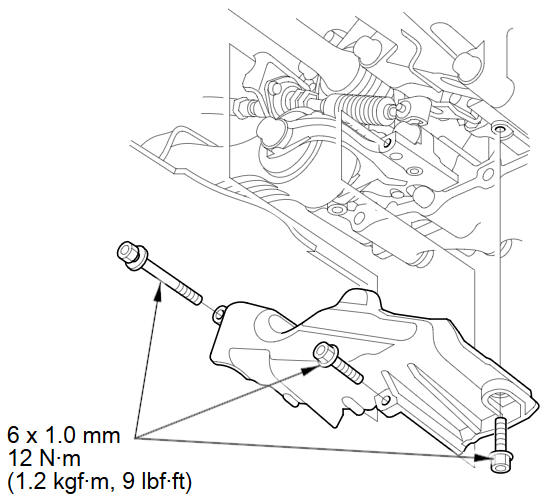
A/T model: Install the shift cable cover.
See also:
Resuming Your Trip
Stop your vehicle en route (e.g., to rest, stop for gas, etc.), and then
continue on
your route.
If you did not complete your route, the Continue Trip screen is displayed when
you
restart you ...
System Controls
...
Displaying the Map Menu
Use the Map Menu to control the icons displayed on the screen. You can also
use
the Map Menu to find locations or to cancel the route.
1. On the map screen, select MAP
MENU (if displayed).
...
Categories
