
Honda Fit: Safety Labels
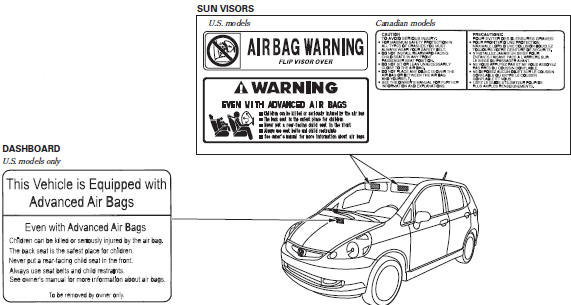
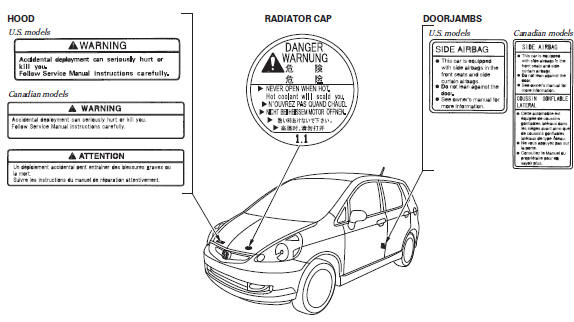
These labels are in the locations shown. They warn you of potential hazards that could cause serious injury or death. Read these labels carefully.
If a label comes off or becomes hard to read (except for the U.S.
dashboard label which may be removed by the owner), contact your dealer for a replacement.
DASHBOARD
U.S. models only
See also:
Anti-lock Brakes (ABS)
The anti-lock brake system (ABS) helps prevent the wheels from locking up, and
helps you retain steering control by pumping the brakes rapidly, much faster than
a person can do it.
The electronic ...
A/C System Evacuation (With A/C)
Special Tools Required
Compact Electronic Vacuum Gauge Robinair ROB14777, commercially available
*This tool is available through the Honda Tool and Equipment Program; call
888-424-6857
...
Turn Signals
The turn signals can be used when the ignition
switch is in ON .
...
Categories
