
Honda Fit: Entering a Phone Number
 PHONE button
►Dial
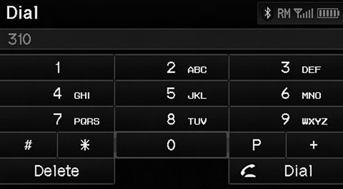
1. Enter a phone number.
2. Select Dial to begin dialing.
A command that consists of several numbers can be spoken together.
QRG
Index
Home
TOC
For example, say  “123-456-7890” at
once.
See also:
Brake Assist System
■Brake Assist System
Designed to assist the driver by generating greater braking force when you
depress
the brake pedal hard during emergency braking.
■ Brake assist system operatio ...
System Initialization
The navigation system must be initialized if
power to the navigation system is
interrupted for any reason (e.g., the
battery was disconnected). ...
EVAP Canister Filter Replacement
Remove the air cleaner.
Disconnect the hoses (A).
Remove the EVAP canister filter (B).
Install the parts in the reverse order of removal.
...
Categories
