
Honda Fit: Searching for Music
 AUDIO button (in iPod® mode)
Search for music using the iPod® menu.
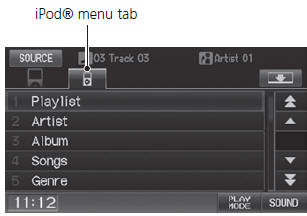
1. Select the menu tab.
2. Select a search category (e.g., Album).
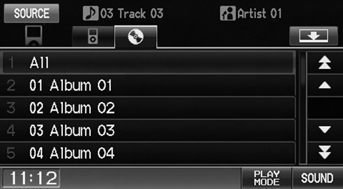
3. Select an item.
► The selection begins playing.
The order of the track list displayed if you select “All” on the iPod® menu varies depending on the iPod® model and software.
Back to Current Track
: Displays the current track at the top of the list.
See also:
Fuel and Emissions System Description - Electronic Control System
Electronic Control Systems
The functions of the fuel and emission control systems are managed by the
engine control module (ECM) on vehicles with manual transmissions or the
powertrain cont ...
Overview of Contents
Contents
A convenient reference to the sections in this manual.
Your Vehicle at a Glance
A quick reference to the main controls in your vehicle.
Driver and Passenger Safety
Important information ...
Front Passenger's Weight Sensor Replacement (Part-2)
When tightening the TORX nuts (A), begin with ?, and tighten them in a
crisscross pattern in two or more steps.
@font-face{font-family:
"Honda_SymbolMarke ...
Categories
