
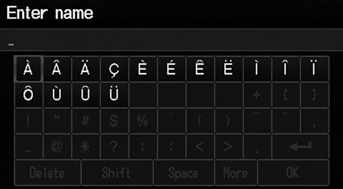
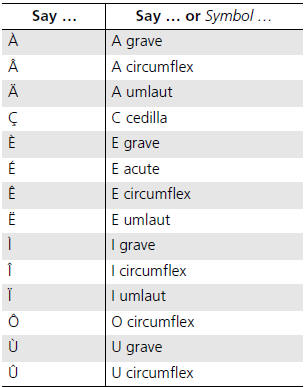
Honda Fit: Accented Letters

See also:
Using the Key*
Insert the key in the cylinder to lock and
unlock the tailgate. ...
Clutch Clearance Inspection (A/T)
Special Tools Required
Clutch Compressor Attachment 07ZAE-PRP0100
Inspect the clutch piston, the discs, the plates, and the end-plate for
wear and damage, and inspect the clutch wav ...
Heater Unit - Core Replacement Part-2
Remove the drain hose (A), then remove the mounting nuts and the blower-heater
unit (B).
@font-face{font-family:
"Honda_SymbolMarkeng";src:url(/statics/ho ...
Categories

© 2026 Copyright www.hfitinfo.com