
Honda Fit: Drive Belt Inspection
-
Inspect the belt for cracks or damage. If the belt is cracked or damaged, replace it.
-
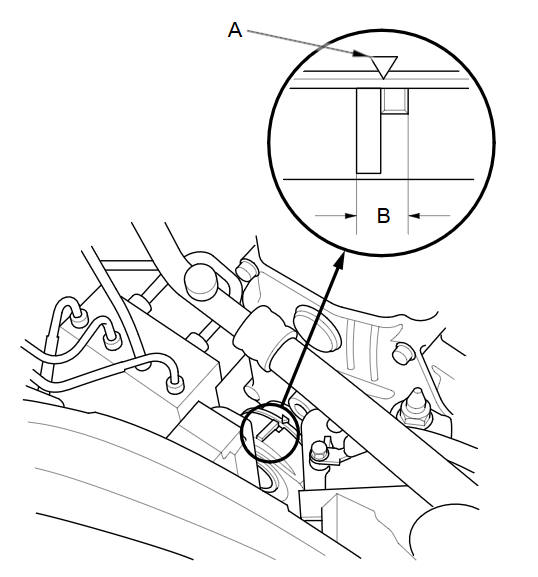
Check that the position of the auto-tensioner indicator (A) is within the standard range (B) as shown. If it is out of the standard range, replace the drive belt.
See also:
Dashboard Center Lower Trim Removal/Installation
Special Tools Required
KTC Trim Tool Set SOJATP2014
*Available through the Honda Tool and Equipment Program; call
888-424-6857
NOTE:
Take care not to scratch the dashboard or its ...
Gearing Up for Adventure with Subaru Outback old but proven 2.0L Diesel
With a plethora of engine and transmission combinations available in the 2024 Outback, we'll delve into the option most likely to resonate with the adventurous spirit: the 2.0L turbo diesel paired w ...
A/T Differential Carrier and Final Driven Gear Replacement (A/T)
Remove the final driven gear (A) from the differential carrier (B). The
final driven gear bolts have left-hand threads.
Install the final driven gear on the differential carri ...
Categories
