
Honda Fit: EVAP Canister Replacement
-
Raise the vehicle on a lift.
-
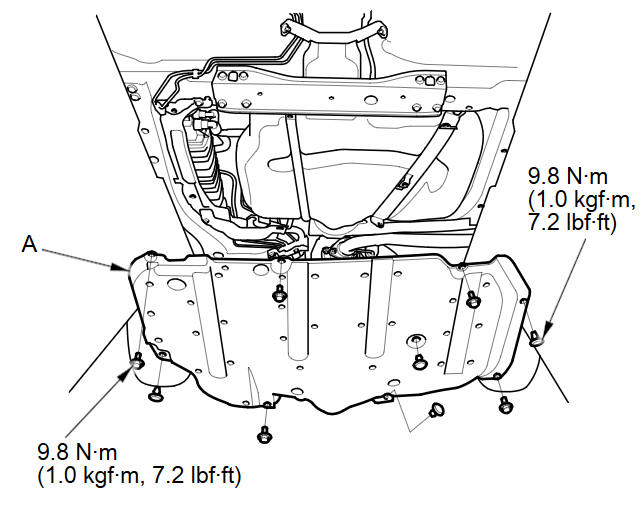
Except LX (A/T model): Remove the fuel tank cover (A)
-
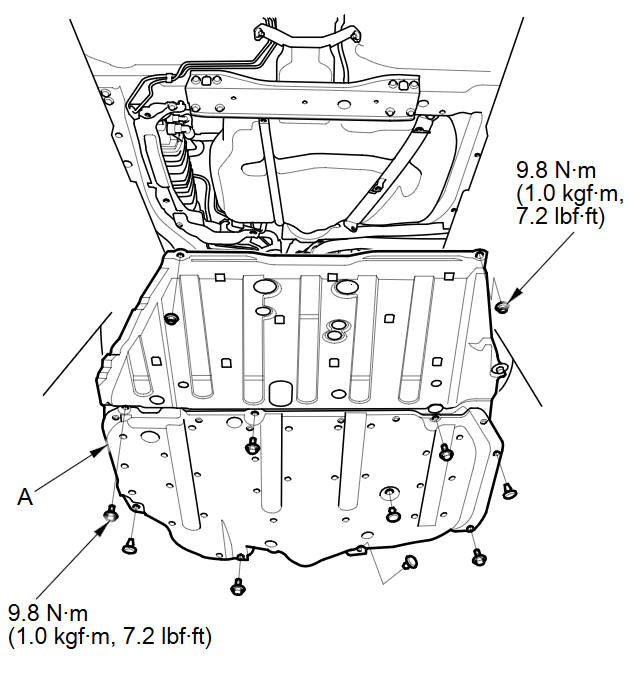
LX (A/T model): Remove the floor under cover assembly (A).
-
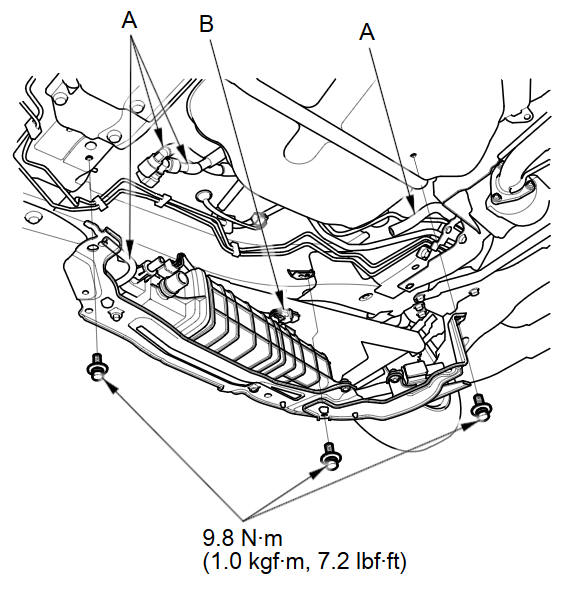
Remove the hoses (A), and disconnect the fuel subharness 6P connector (B).
-
Remove the bolts (A).
-
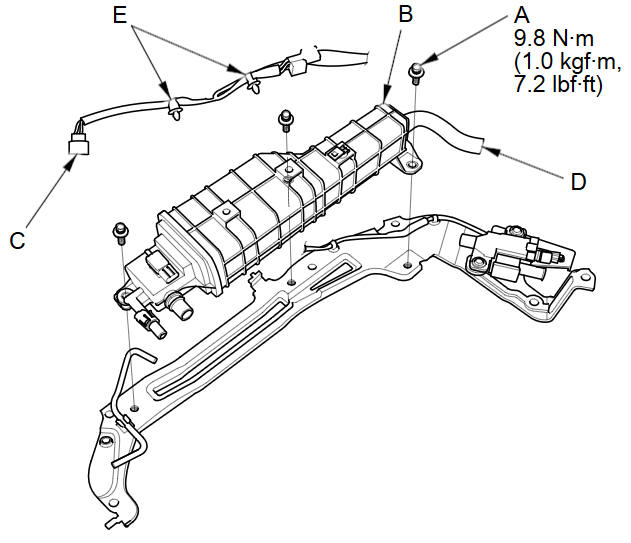
Remove the EVAP canister assembly (B).
-
Disconnect the FTP sensor connector (C), the hose (D), and the clips (E).
-
Disconnect the hose (A), remove the retainer (B) and remove the FTP sensor (C).
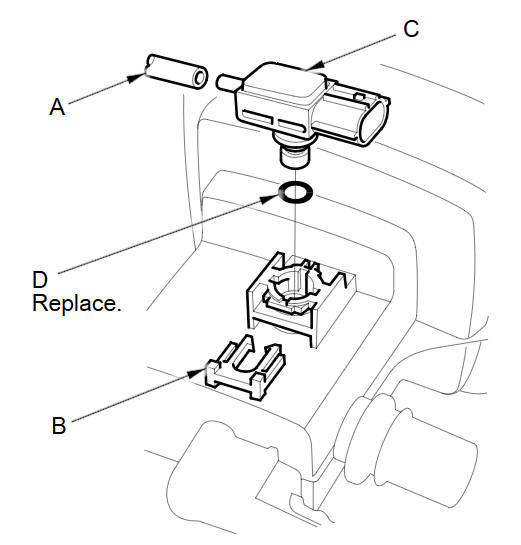
NOTE: When installing the FTP sensor, use a new O-ring (D).
-
Install the parts in the reverse order of removal.
See also:
Important Safety Precautions
■ Always wear your seat belt
A seat belt is your best protection in all types of collisions. Airbags are
designed to
supplement seat belts, not replace them. So even though your vehicle is e ...
Database
The digitized map database reflects
conditions as they existed at various points
in time before production. Accordingly,
your database may contain inaccurate or
incomplete data or information due ...
Adjusting the Sound
AUDIO button (
►AUDIO MENU ) ► SOUND
Adjust the sound bass, treble, fader, and balance. In addition, you can set
Speedsensitive
Volume Compensation (SVC).
1. Select the tab to adju ...
Categories
