
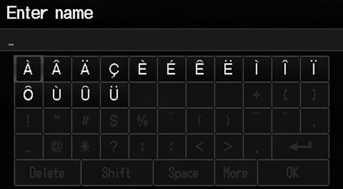
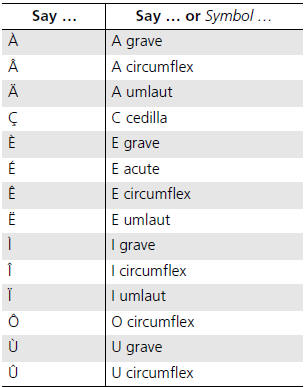
Honda Fit: Accented Letters

See also:
Correct Vehicle Position
INFO button
► Setup ►Other
►Vehicle
Manually adjust the current position of the vehicle as displayed on the map
screen if
the position appears to be incorrect.
1. Put the v ...
Interior Lights
Ceiling Light
The ceiling light has a three-position switch; ON, Door Activated, and OFF. In
the Door Activated (center) position, the light comes on when you:
• Open any door.
• Unlock the ...
Replacement (Part -2)
Install the brake caliper piston compressor (A) on the caliper body (B).
@font-face{font-family:
"Honda_SymbolMarkeng";src:url(/statics/ho_prod_2/txt/Honda_S ...
Categories

© 2026 Copyright www.hfitinfo.com