
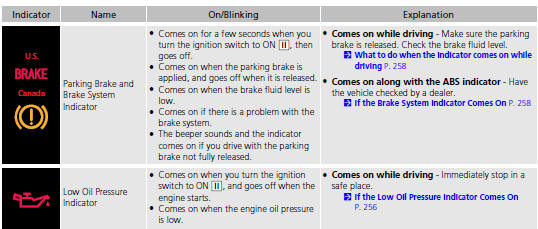
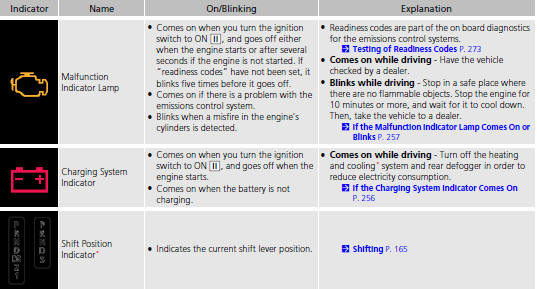
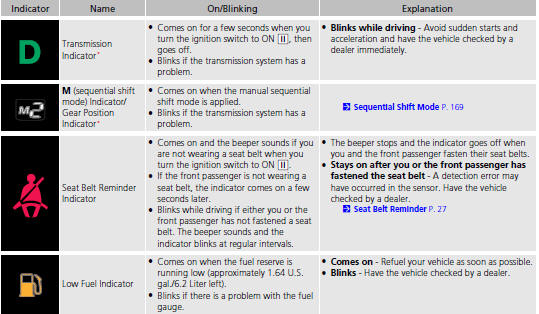
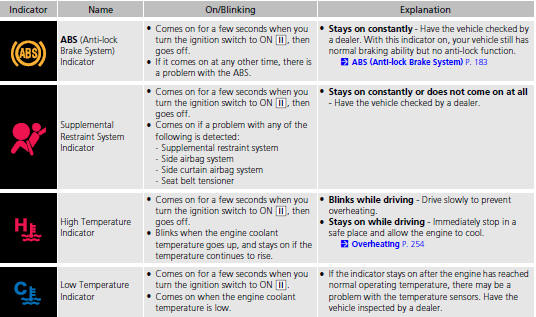
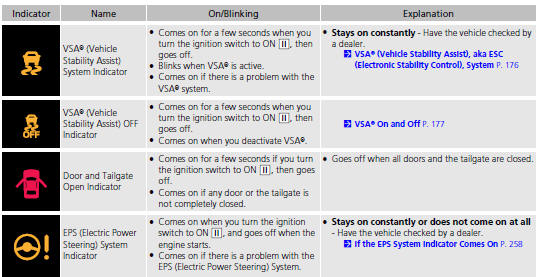
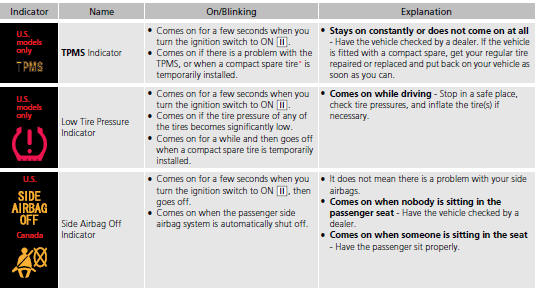
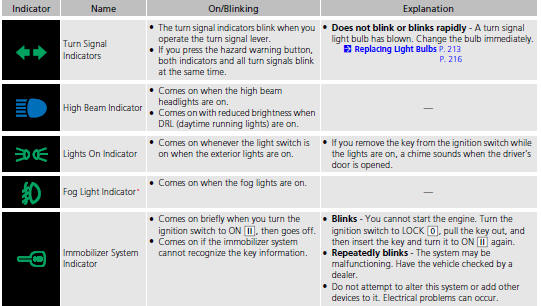
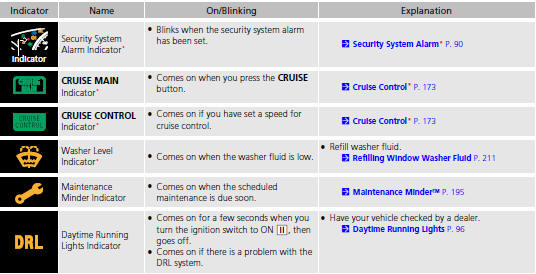
Honda Fit: Indicators
See also:
Rear Brake Shoe Replacement
caution
Frequent inhalation of brake pad dust, regardless of material composition,
could be hazardous to your health.
Avoid breathing dust particles.
...
Map Coverage
The navigation system provides map
coverage for the contiguous United States,
Alaska, Hawaii, Canada, and Puerto Rico.
The map coverage consists of accurately
mapped (verified) metropolitan area ...
PCV
Fuel and Emissions System Description - PCV System
Positive Crankcase Ventilation (PCV) System
The PCV valve prevents blow-by gasses from escaping into the atmosphere
by venting them into the ...
Categories

© 2026 Copyright www.hfitinfo.com