
Honda Fit: Map Coverage
The navigation system provides map coverage for the contiguous United States, Alaska, Hawaii, Canada, and Puerto Rico.
The map coverage consists of accurately mapped (verified) metropolitan areas and a less accurate (unverified) rural database.
Note that unverified areas are constantly being reviewed and converted to verified areas each year.
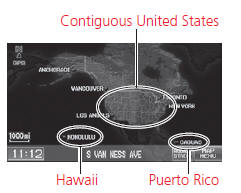
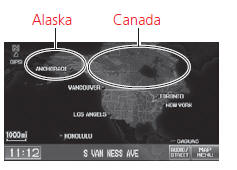
Map coverage update information is available from Honda Automobile Customer Service or online at www.hondanavi.com.
To find navigation system update information:
1. Visit www.hondanavi.com.
2. Enter your vehicle model and model year.
3. Click Map Coverage to display a list of verified coverage areas on the most recent update.
4. Click Map Coverage Details to display a PDF document with a full listing of all coverage areas.
► Adobe® Reader® is required for viewing and printing the Portable Document Format (PDF) documents.
To download the latest version of Adobe Reader, visit http:// get.adobe.com/reader/.
See also:
Dashboard/Steering Hanger Beam Disassembly/Reassembly (Page-2)
From the front of the dashboard (A), remove the screws.
@font-face{font-family:
"Honda_SymbolMarkeng";src:url(/statics/ho_prod_2/txt/Honda_SymbolMark_ ...
Mainshaft Disassembly, Inspection, and Reassembly (A/T)
Inspect the thrust needle bearings and the needle bearings for galling
and rough movement.
Inspect the splines for excessive wear and damage.
Check the shaft bearing s ...
Making a Call
Make calls by entering a number or using the imported phonebook, call
history, or
speed dial entries.
You can control the HFL system using voice
commands.
When you say “Call by number”
or ...
Categories
