
Honda Fit: Clutch Interlock Switch Replacement (M/T)
M/T model
-
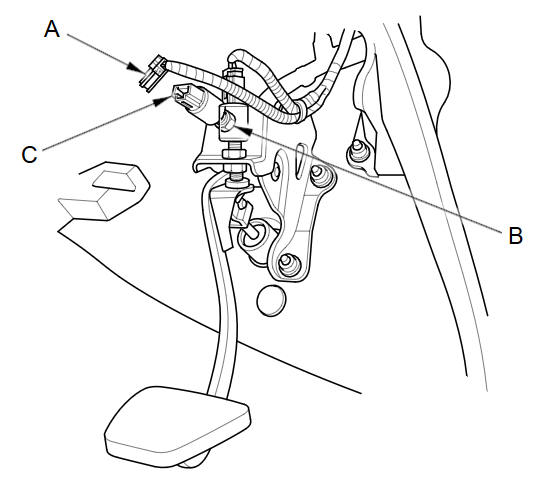
Disconnect the 2P connector (A) from the clutch interlock switch.
-
Loosen the locknut (B), then remove the clutch interlock switch (C).
-
Install the clutch interlock switch and adjust the pedal height.
See also:
Avoiding Streets
DEST button (when en route)
►Avoid Streets
Select a street or streets along your route to avoid.
1. Select the street you want to avoid.
► Repeat the procedure to avoid
other ...
Dashboard/Steering Hanger Beam Disassembly/Reassembly (Page-2)
From the front of the dashboard (A), remove the screws.
@font-face{font-family:
"Honda_SymbolMarkeng";src:url(/statics/ho_prod_2/txt/Honda_SymbolMark_ ...
Towing a Trailer
Your vehicle is not designed to tow a trailer. Attempting to do so can void your
warranties. ...
Categories
