
Honda Fit: A/T Differential Carrier and Final Driven Gear Replacement (A/T)
-
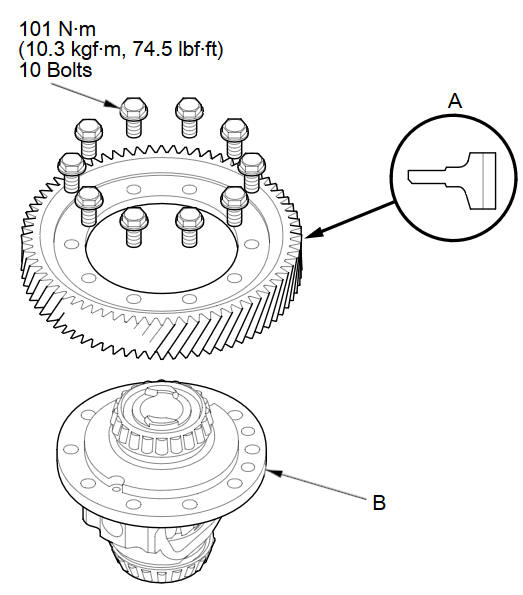
Remove the final driven gear (A) from the differential carrier (B). The final driven gear bolts have left-hand threads.
-
Install the final driven gear on the differential carrier in the direction shown.
-
Tighten the bolts to 101 N·m (10.3 kgf·m, 74.5 lbf·ft) in a crisscross pattern in at least two steps.
See also:
Front Airbags (SRS)
The front SRS airbags inflate in a moderate-to-severe frontal collision to
help protect
the head and chest of the driver and/or front passenger.
SRS (Supplemental Restraint System) indicates tha ...
If the Brake System Indicator Comes On
■ Reasons for the indicator to come on
• The brake fluid is low.
• There is a malfunction in the brake system.
■ What to do when the indicator comes on while driving
Press the ...
Dashboard Passenger's Tray Lid Removal/Installation
NOTE: Take care not to scratch the dashboard or its related parts.
Open the lid.
Remove the screws, then remove the passenger's upper tray lid (A).
...
Categories
