
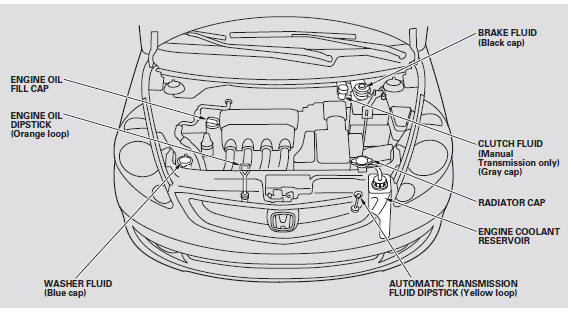
Honda Fit: Fluid Locations
See also:
Camshaft Installation
Insert the camshaft (A). Apply new engine oil to the journals and the cam
lobes.
Install the CMP pulse plate.
Install the CMP sensor.
Install the r ...
Instrument Panel
* : If equipped ...
Windshield Replacement
NOTE:
Put on gloves to protect your hands.
Wear eye protection while cutting the glass adhesive with a piano wire.
Use seat covers to avoid damaging any surface.
Glass a ...
Categories

© 2026 Copyright www.hfitinfo.com