
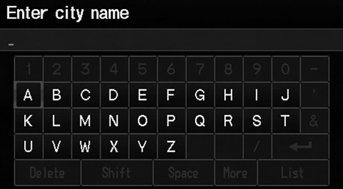
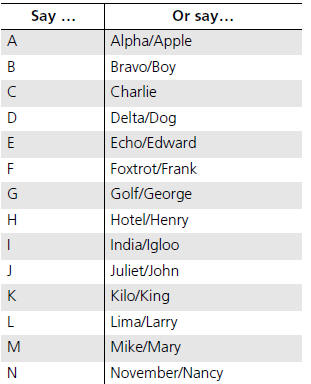
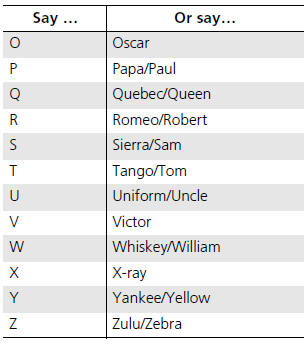
Honda Fit: Letters
See also:
Intersection
DEST button
►DEST Menu 2►Intersection
Select the intersection of two streets as the destination. The state or
province for
your current location is displayed at the top of the screen ...
Windshield Wipers and Washers
WindshieldWiper
1. MIST
2. OFF
3. INT Intermittent
4. LO Low speed
5. HI High speed
6. Windshield washers
Push the right lever up or down to select a position.
MIST - The wipers run at high ...
Tires
To safely operate your vehicle, your tires must be the proper type and size,
in good condition with adequate tread, and correctly inflated.
The following pages give more detailed information on how ...
Categories

© 2026 Copyright www.hfitinfo.com