
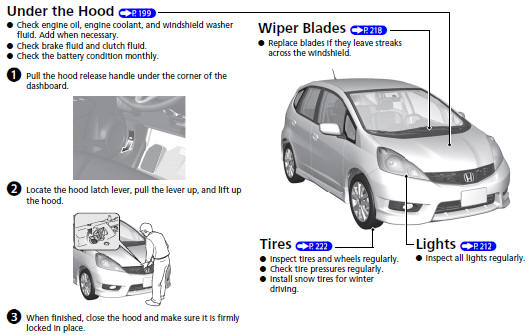
Honda Fit: Maintenance
See also:
Temporarily Repairing a Flat Tire
Canadian models with automatic transmission
If the tire has a large cut or is otherwise severely damaged, you will need
to have the
vehicle towed. If the tire only has a small puncture, from a nai ...
Navigation—Entering a Destination
Enter your destination using one of several methods, then follow route
guidance on the map or guidance screen to your destination. You
can also perform these steps using
voice control.
1 Press ...
Fuel Economy
Improving Fuel Economy
Fuel economy depends on several conditions, including driving conditions,
your
driving habits, the condition of your vehicle, and loading. Depending on these
and
other co ...
Categories

© 2026 Copyright www.hfitinfo.com