
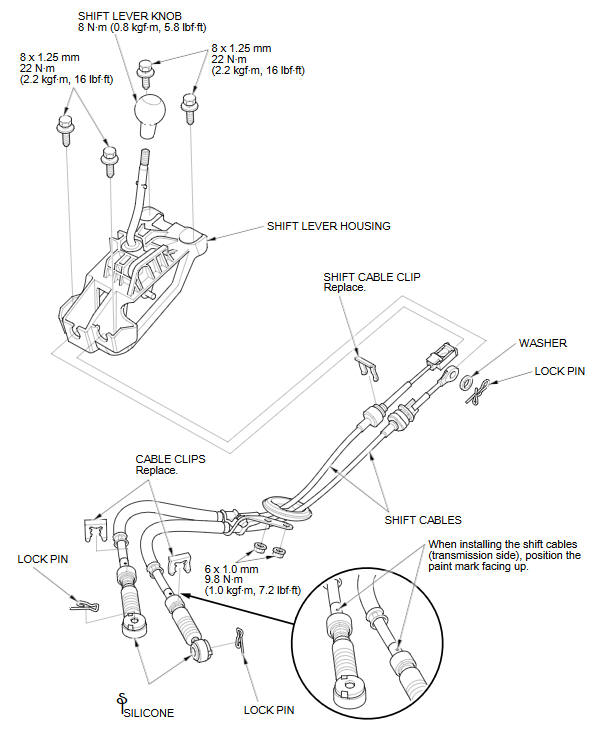
Honda Fit: Gearshift Mechanism Replacement (M/T)
NOTE: Make sure not to get any silicone grease on the terminal part of the connectors and switches, especially if you have silicone grease on your hands or gloves.
See also:
Inspection
Install the flange nut on the damper shaft end, and set the socket wrench
and T-handle on the nut.
Compress the damper assembly by hand, and check for smooth operation
through ...
HFT-Navigation Microphone Removal/Installation (With Navigation)
Remove the front individual map light lens (A) using a flat-tip
screwdriver.
@font-face{font-family:
"Honda_SymbolMarkeng ...
Front Door Glass Outer Weatherstrip Replacement
NOTE:
Put on gloves to protect your hands.
Take care not to scratch the door and related parts.
Lower the glass fully.
Remove the door sash outer trim.
...
Categories
