
Honda Fit: System/Device Information
 INFO button
► System/Device Information
View database, software, device, and vehicle identification information.
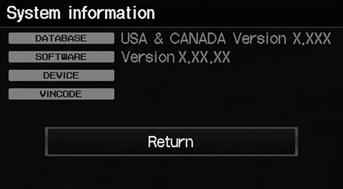
You will need this information when ordering a map update.
See also:
Acquiring GPS Information
Depending on the length of time the
power was interrupted, your system may
require GPS initialization.
If initialization is not necessary, the system
proceeds directly to the Startup
Confirmati ...
Rear Seat Belt Replacement
Rear Seat Belt
NOTE:
Check the rear seat belts for damage, and replace them
if necessary.
Remove these items:
Rear door inner seal, as needed
Tailgate weatherst ...
A/T Differential Carrier and Final Driven Gear Replacement (A/T)
Remove the final driven gear (A) from the differential carrier (B). The
final driven gear bolts have left-hand threads.
Install the final driven gear on the differential carri ...
Categories
