
Honda Fit: How to Use This Manual
This section explains different methods on how you can easily find information in this manual.
Searching the Table of Contents
Two types of Tables of Contents help you find your desired information.
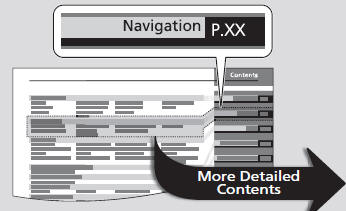
Table of Contents
First, find the general chapter related to what you are looking for (e.g., entering a destination from the Address Book).
Then, go to that chapter to view a more specific table of contents.
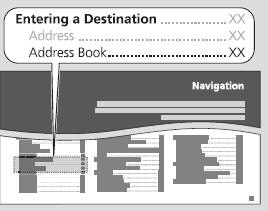
Chapter Contents
This more detailed table of contents shows you exactly what information is listed by section and title.
Searching the Index
Menu items displayed on the navigation screen (e.g., Address Book) can be found individually in the Index.
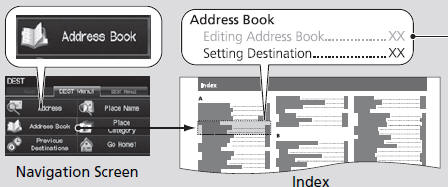
The Index consists of main terms and subentries.
The sub-entries help you get to the desired page depending on what you are looking for.
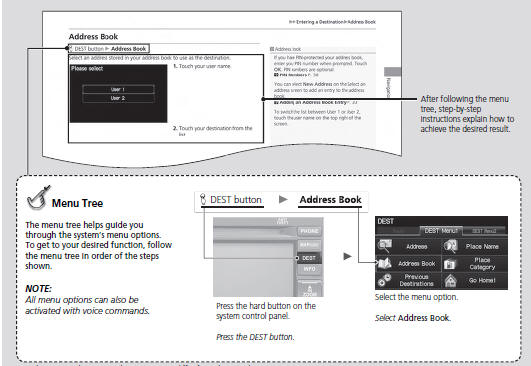
Sample pages and images in this section may differ from the actual ones.
See also:
Disc Player Error Messages
The chart on the right explains the error messages you may see in the display
while playing a disc.
If you see an error message in the display while playing a disc, press the eject
button. After ...
Alternator Disassembly (Page -3)
Install a new front bearing in the drive-end housing with a hammer, the driver
handle, 15 x 135L (A), and the bearing driver attachment, 42 x 47 mm (B).
@fo ...
Power Windows System Description
Anti-pinch Power Window OperationThe system is composed of the power window control unit (built into the power
window master switch) and the driver's power window motor.
The driver's p ...
Categories
