
Honda Fit: Adding a Waypoint (“Pit Stop”)
You can add up to four waypoints along your route.
1 Press the DEST button.
2 Select Waypoint.
3 Select search method.
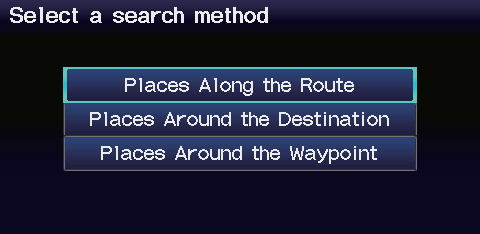
When you select Places Around the Waypoint, select the desired waypoint.
4 Select the icon category and location to add to the destination list when prompted.
See also:
About Your Audio System
The audio system features FM/AM radio. It can also play audio discs, WMA/M/
AAC tracks, iPods®, USB flash drives, and Bluetooth® devices.
The audio system is operable from the buttons and switch ...
Winter Tires
If driving on snowy or frozen roads, mount all season marked “M+S” tires,
snow
tires, or tire chains; reduce speed; and maintain sufficient distance between
vehicles
when driving.
Be part ...
System/Device Information
INFO button
► System/Device Information
View database, software, device, and vehicle identification information.
You will need this information when ordering a
map update. ...
Categories
