
Honda Fit: Pressure Plate Inspection and Removal
-
Remove the transmission.
-
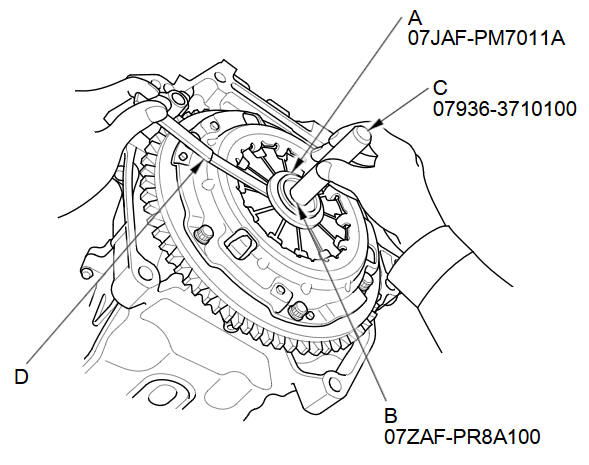
Check the evenness of the height of the diaphragm spring fingers using the clutch alignment disc (A), clutch alignment shaft (B), remover handle (C), and a feeler gauge (D). If the height difference is more than the service limit, replace the pressure plate.
Standard (New):
0.6 mm (0.024 in) max.
Service Limit:
1.0 mm (0.039 in)
-
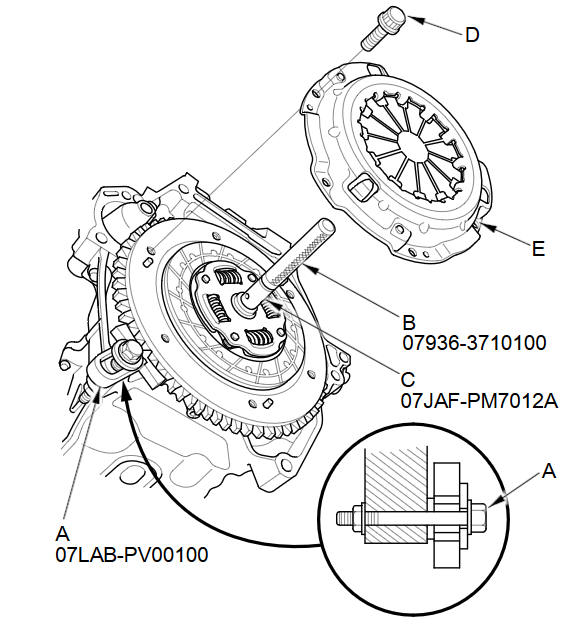
Install the ring gear holder (A), the remover handle (B), and the clutch alignment shaft (C).
-
To prevent warping, unscrew the pressure plate mounting bolts (D) in a crisscross pattern in several steps, then remove the pressure plate (E).
-
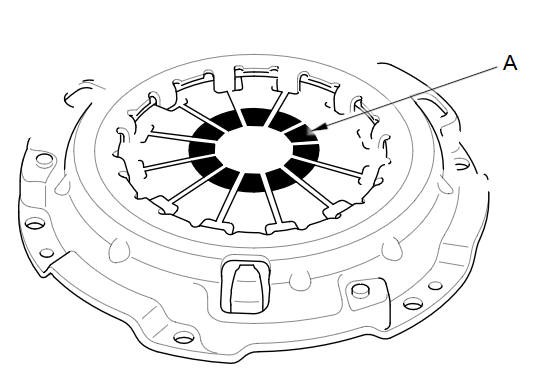
Inspect the fingers of the diaphragm spring (A) for wear at the release bearing contact area.
-
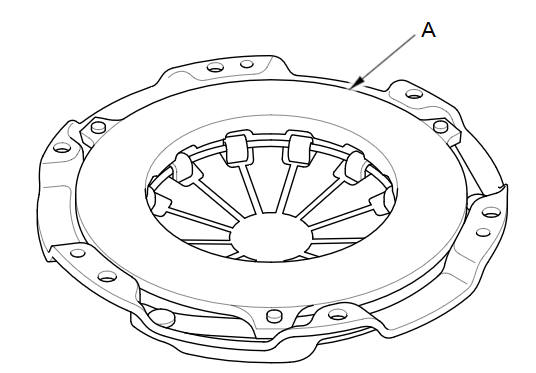
Inspect the pressure plate (A) surface for wear, cracks, and burning.
-
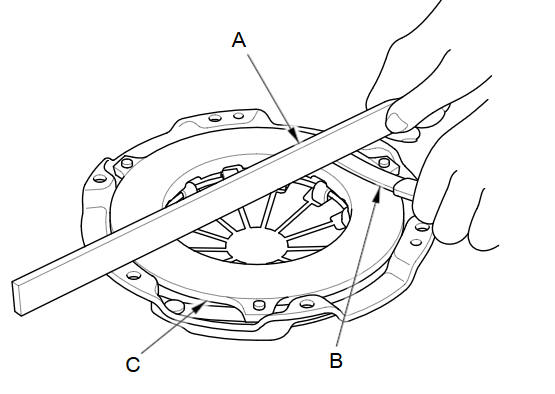
Inspect for warpage using a precision straight edge (A) and a feeler gauge (B). Measure across the pressure plate (C). If the measurement is greater than the service limit, replace the pressure plate.
Standard (New):
0.03 mm (0.001 in) max.
Service Limit:
0.15mm (0.005 in)
See also:
Seat Belt Inspection
Regularly check the condition of your seat belts as follows:
• Pull each belt out fully, and look for frays, cuts, burns, and wear.
• Check that the latches work smoothly and the belts retract e ...
Secondary HO2S Replacement
Special Tools Required
O2 Sensor Wrench Snap-on S6176 or equivalent, commercially available
Disconnect the secondary HO2S connector (A).
Raise the vehicle on a lift.
...
Airbag Care
You do not need to, and should not, perform any maintenance on or replace any
airbag system components yourself. However, you should have your vehicle
inspected by a dealer in the following situatio ...
Categories
