
Honda Fit: M/T Differential Carrier/Final Driven Gear Replacement (M/T)
-
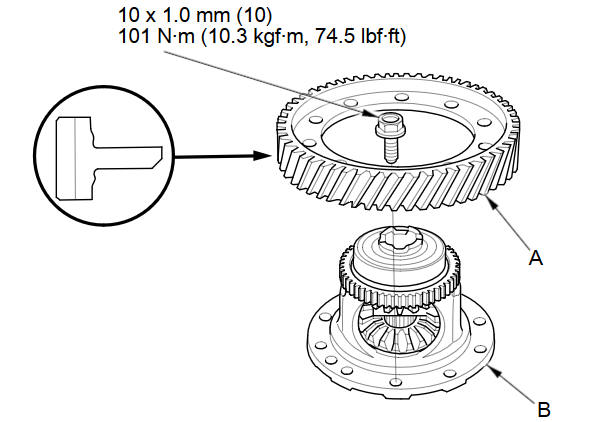
Loosen the bolts in a crisscross pattern in several steps, then remove the final driven gear (A) from the differential carrier (B).
-
Install the final driven gear with the chamfer on the inside diameter facing the carrier. Tighten the bolts in a crisscross pattern in several steps.
See also:
Navigation—Changing Route or Destination
You can alter your route by adding waypoints to visit, adding streets to
avoid, or changing your destination during route guidance. ...
Precautions for Opening/Closing the Tailgate
Always make sure individuals and objects are clear of the tailgate before
opening or
closing it.
■ Opening the tailgate
• Open the tailgate all the way.
►If it is not fully opened, ...
Connecting Rod and Crankshaft End Play Inspection
Remove the oil pump.
Measure the connecting rod end play with a feeler gauge (A) between the
connecting rod (B) and the crankshaft (C).
Connecting Rod End Play
...
Categories
