
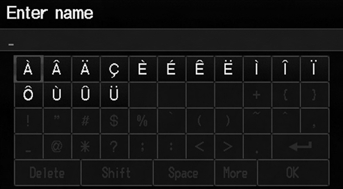
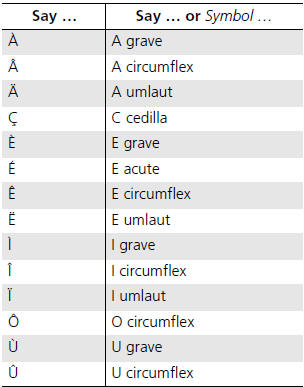
Honda Fit: Accented Letters

See also:
Side Curtain Airbags
The side curtain airbags help protect the heads of the driver and passengers
in outer
seating positions during a moderate-to-severe side impact.
The side curtain airbags are most effective when an ...
Using the Phonebook
PHONE button
► Phonebook
1. Select a name.
Select alphabetical tabs to
display the entries in the group.
2. Select a number.
3. Select Call to begin dialing.
Up to three icons ...
Radio Data System (RDS)
Provides text data information related to your selected RDS-capable FM
station.
RDS Info Display
When RDS INFO is set to ON, the name of the FM station is displayed. When set
to
OFF, the freque ...
Categories

© 2026 Copyright www.hfitinfo.com