
Honda Fit: Indicators
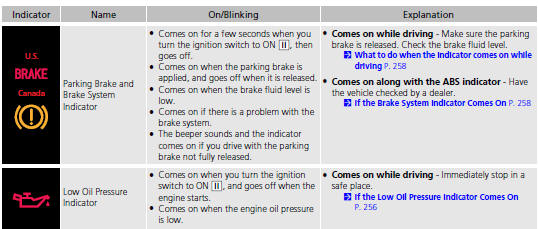
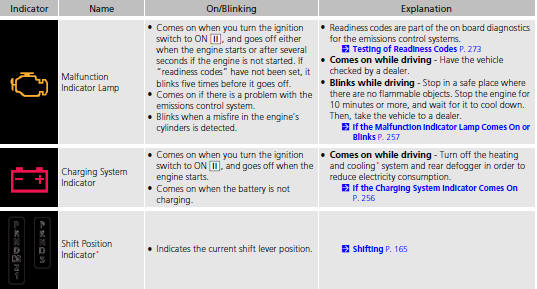
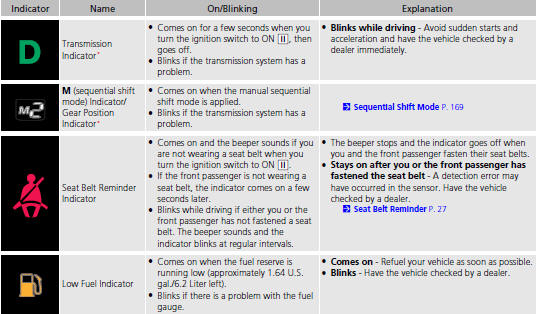
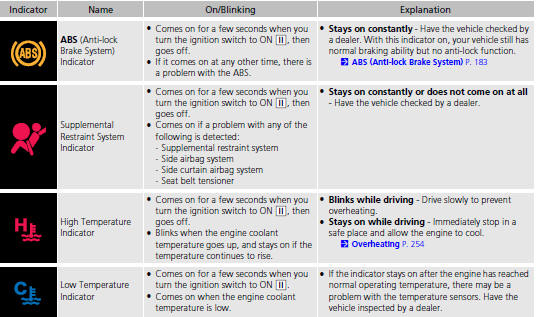
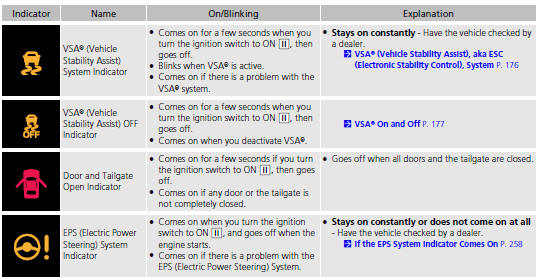
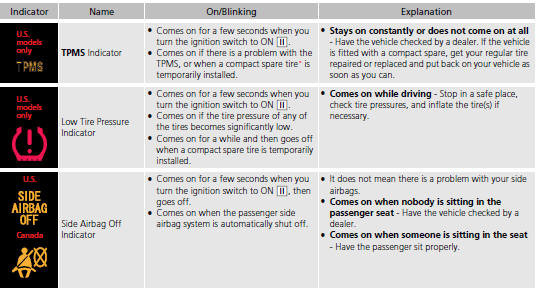
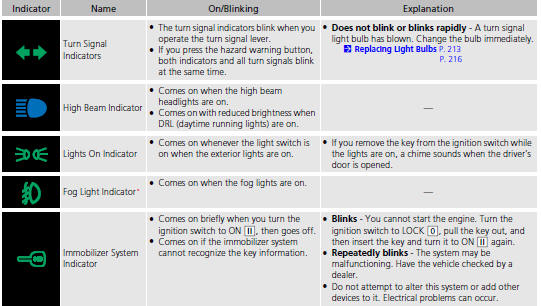
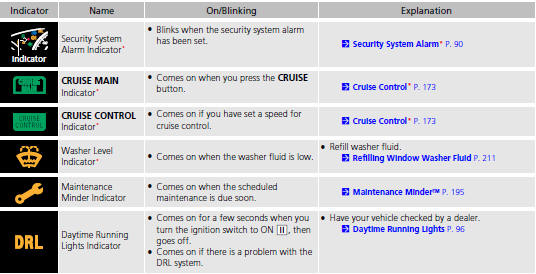
See also:
User Name
INFO button
► Setup
►Personal Information►User Name
Change the user name (“User 1” or “User 2”) to your desired name.
1. Select the name to change.
2. Enter a name. ...
Operation in Alaska, Hawaii, Canada, and Puerto Rico
Map Coverage
All roads displayed on the map screens are
verified roads. Information in this manual
relating to “unverified” roads or areas is
not applicable.
Address and Place Entry
Screens
...
Adjusting the Sound
Press the (sound) button, and
rotate
to adjust the setting.
Each time you press the button, a
sound
mode switches as follows.
When the adjustment level reaches the center, you
will ...
Categories

© 2026 Copyright www.hfitinfo.com