
Honda Fit: Changing the Pairing Code
 PHONE button
► Phone Setup ► Add/Select a phone
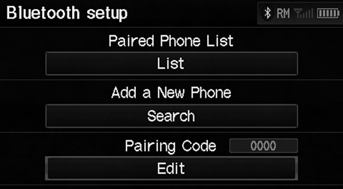
1. Select Edit under Pairing Code.
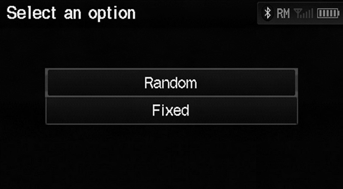
2. Select an item.
The following items are available:
• Random
: Uses a randomly generated pairing code.
• Fixed
: Create your own pairing code.
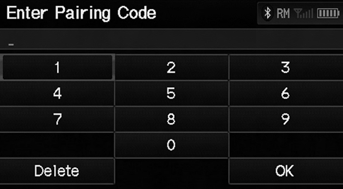
3. If you select Fixed, enter a new pairing code. Select OK.
► Select Delete to remove the current pairing code.
See also:
Disassembly
Compress the damper spring, then remove the nut (A) while holding the
damper shaft with a hex wrench (B). Do not compress the damper spring more
than necessary to remove the nut.
...
Switching to HFL Mode
1. If you receive a call when
Bluetooth® Audio is playing, press
the (Pick-Up) button on the
steering wheel to answer the call.
2. Press the (Hang-Up) button to
end the call, and Bluetooth® ...
Ball Joint Removal
Special Tools Required
Ball Joint Thread Protector, 10 mm 07AAF-SECA120
Ball Joint Thread Protector, 14 mm 071AF-S3VA000
Ball Joint Remover, 28 mm 07MAC-SL0A202
notice
...
Categories
