
Honda Fit: Vehicle
 INFO button
► Setup ►Other
►Vehicle
Set the off-road tracking feature and correct the vehicle position displayed on the map.
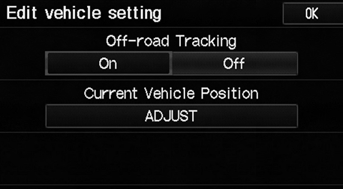
Select an item.
The following items are available:
• Off-road Tracking: Set whether to display the tracking dots on the map.
• Current Vehicle Position: Adjust the position of the vehicle on the map.
See also:
Transmission Housing and Shaft Assembly Removal (A/T)
Special Tools Required
Housing Puller 07HAC-PK40102
Remove the dipstick (A).
Remove the shift solenoid valve cover (B), the dowel pins (C), and the
gasket (D).
Di ...
Installation (Part -3)
Remove the vinyl tape from the connectors.
Connect the EPS motor angle sensor 8P connector (A), torque sensor 6P connector (B) to the steering gearbox.
...
Controls
This chapter explains how to operate the various controls necessary for
driving. ...
Categories
