
Honda Fit: Command Help
For “Command Help” menu items, all voice commands that are available for that system are listed.
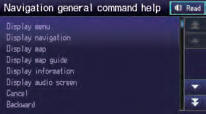
Select Read to hear the commands in the list read aloud.
Voice Commands
See also:
Transmission Number
@font-face{font-family:
"Honda_SymbolMarkeng";src:url(/statics/ho_prod_2/txt/Honda_SymbolMark_enu3.txt);}@font-face{font-family:
"Honda_Sp ...
Adjusting the Sound
AUDIO button (
►AUDIO MENU ) ► SOUND
Adjust the sound bass, treble, fader, and balance. In addition, you can set
Speedsensitive
Volume Compensation (SVC).
1. Select the tab to adju ...
Accessory Power Socket Test/Replacement
NOTE: If the accessory power socket does not work, check the No. 13 (20 A) fuse
in the under-dash fuse/relay box and ground (G502) first.
Remove the dashboard center lower trim.
...
Categories
