
Honda Fit: Adding a Waypoint (“Pit Stop”)
Second generation (2007-2026) / Honda Fit 2007-2026 Navigation Online Reference Manual / Quick Reference Guide / Navigation—Changing Route or Destination / Adding a Waypoint
(“Pit Stop”)
You can add up to four waypoints along your route.
1 Press the DEST button.
2 Select Waypoint.
3 Select search method.
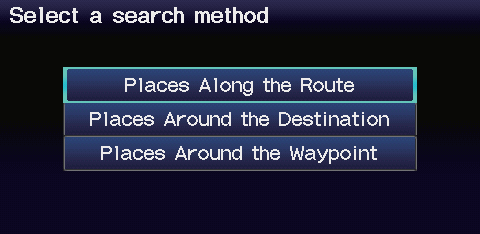
When you select Places Around the Waypoint, select the desired waypoint.
4 Select the icon category and location to add to the destination list when prompted.
See also:
HVAC
...
Voice Help
This navigation system comes with voice help information, which tells you how
to use the voice command functions.
Go to Voice Info for tips when using the voice command functions. ...
Engine Coolant
Specified coolant: Honda Long Life Antifreeze/Coolant Type 2
This coolant is premixed with 50% antifreeze and 50% water. Do not add any
straight antifreeze or water.
We recommend you check the en ...
Categories

© 2026 Copyright www.hfitinfo.com